
FLUX 3: a complete guide to FLUX 3 Image Klein, the open-weights image model
FLUX 3 Image Klein is the open-weights image model of Black Forest Labs' FLUX 3 family, released on October 15, 2026. At 5.6B parameters it generates from text, edits from instructions, combines up to ten references and places elements with bounding boxes, at up to native 4K. This guide covers how it works, how to prompt it, and the settings Black Forest Labs recommends.
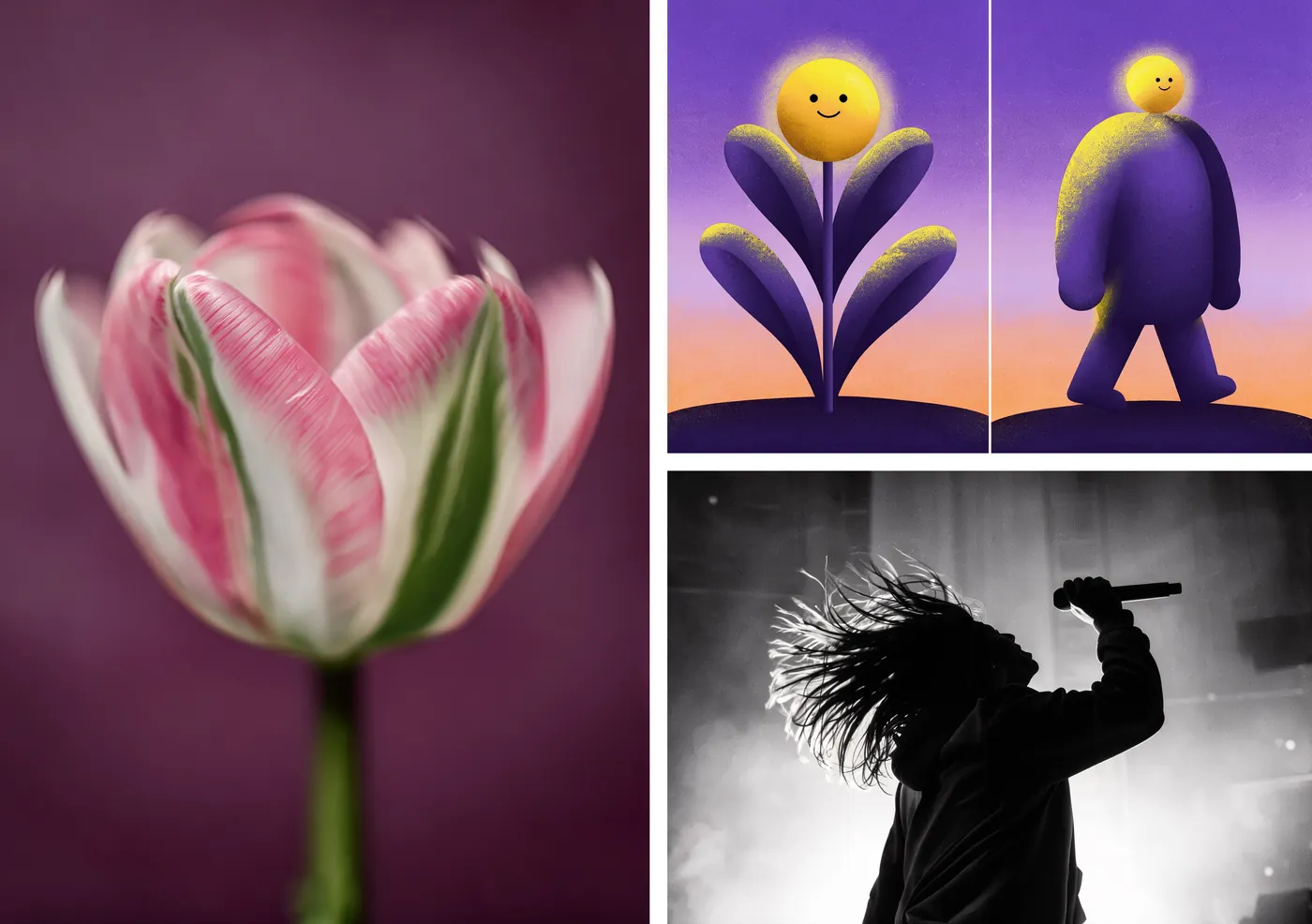
Log in and try FLUX 3
FLUX 3 runs in Prism, SpyGlass, Vector, Unified Editor and PirateDiffusion through the flux3 workflow, which loads the Klein base with its text upsampler.
Graydient plans are compatible with FLUX 3
Run FLUX 3 alongside more than 30,000 open image and video models on flat-rate GPU, with no credits and no per-image fees.
Already a member? Log in to My Graydient.
What is FLUX 3 Image Klein?
FLUX 3 is Black Forest Labs' first unified multimodal family, trained jointly on video, audio, image and action. It was introduced in August 2026 with FLUX 3 Video. FLUX 3 Image Klein is the compact open-weights image model in the family; Black Forest Labs says it shares core capabilities with the full FLUX 3 Image model: native 4K generation, precise editing, and bounding boxes that control where elements are placed.
- 5.6B-parameter image transformer; the Qwen3-VL-4B-Instruct text encoder is separate.
- One model for three jobs: text-to-image, instruction editing and multi-reference composition with up to 10 images.
- Bounding boxes in the prompt to place, recolour, move, replace or remove elements.
- Native 4K output and text rendering within images.
- Prompt upsampler: a separate 9B model that turns a short request into a full scene caption.
In Black Forest Labs' internal evaluations, reported by ComfyUI, FLUX 3 Image Klein scores above Qwen-Image 2.1 on text-to-image and multi-reference generation.
Klein and Klein Base
| Checkpoint | Format | Steps | Guidance | Built for |
|---|---|---|---|---|
| Klein | Distilled | 16 | None (CFG 1) | Editing and generation, self-hosting |
| Klein Base | Undistilled | 50 | 3.5 | Fine-tuning, LoRA training, research |
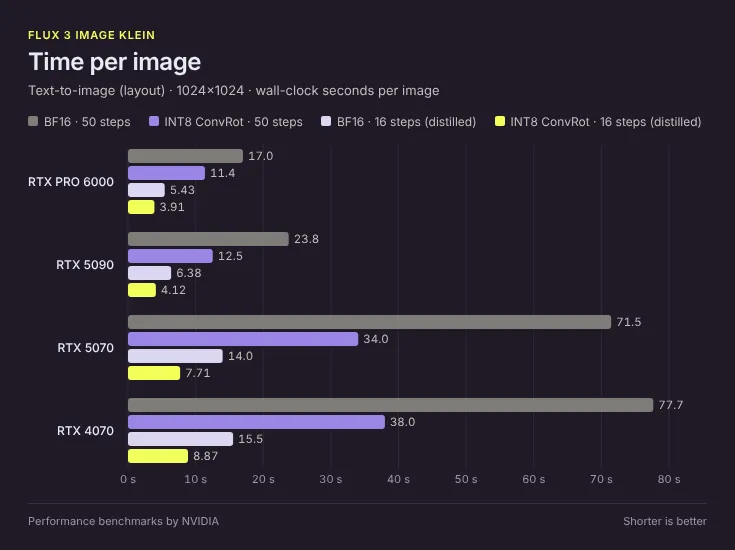
FP8, INT8 and NVFP4 builds were released alongside the BF16 weights. ComfyUI reports that pairing INT8 ConvRot quantization with the step-distilled model makes a 1024×1024 image 4.3× to 9.3× faster than the BF16, 50-step baseline.
What it does well
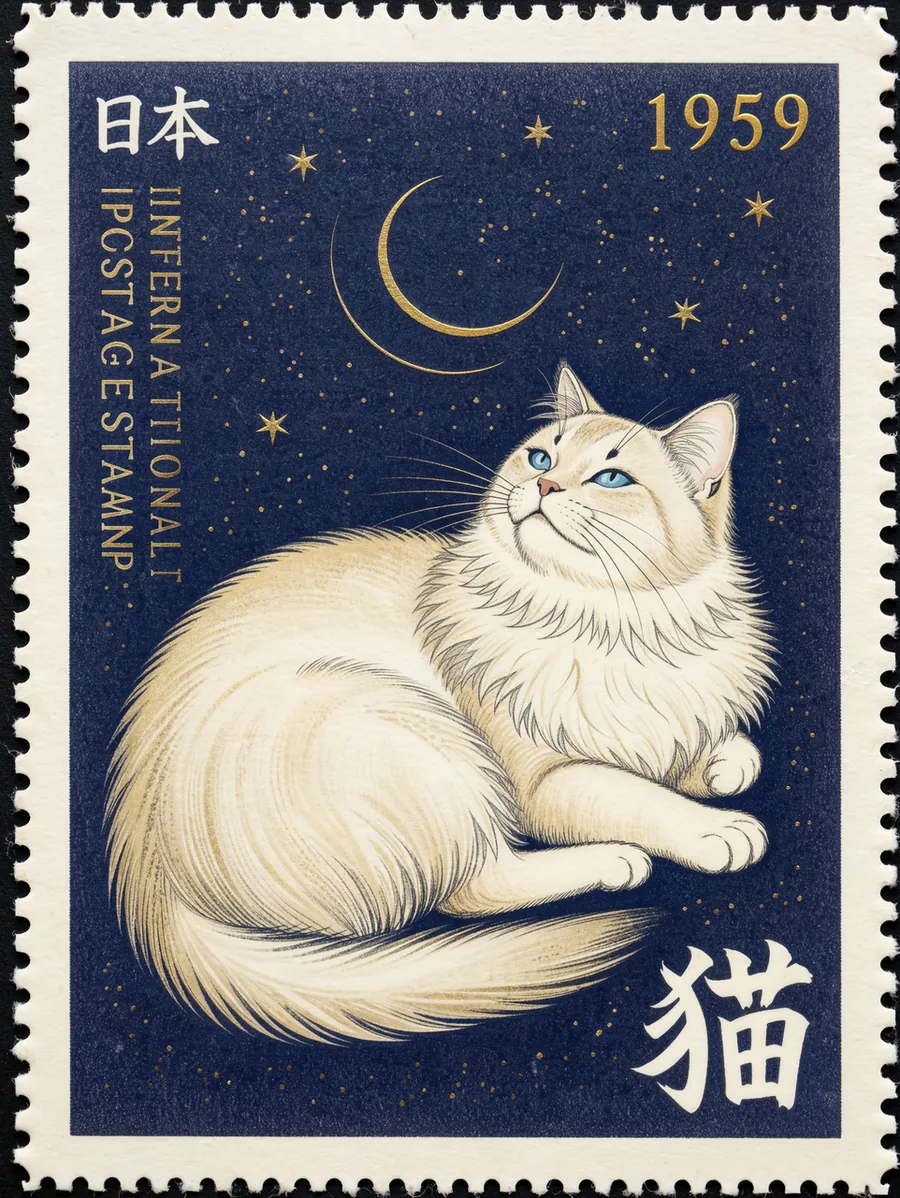
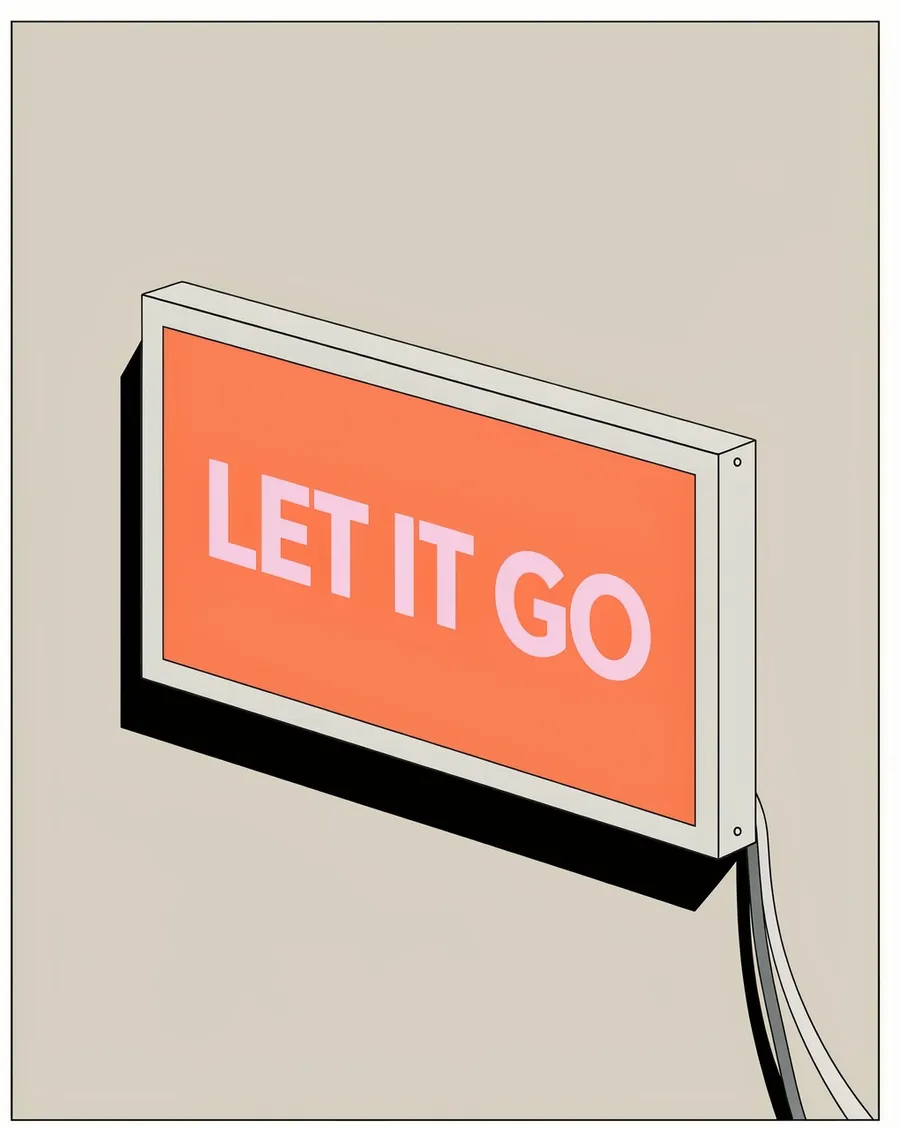


How to prompt FLUX 3 Image Klein
1. Always upsample the prompt
This is the single most important rule on the model card: Klein is trained on full scene captions for editing, text-to-image and layout alike, and "a short prompt sent as typed gives generic output." Black Forest Labs' upsampler writes the caption with medium and style, scene, lighting and camera, and each subject's colours, materials and position. Any other LLM can do the same with Black Forest Labs' published system prompt. If your prompt is already a full caption, do not upsample it a second time.
2. Start from the official text-to-image example
The model card's own example is short because the pipeline upsamples it. Quoted text inside the prompt is rendered in the image.
A chunky knitted diorama: three white cable-knit icebergs with tiny pale blue houses, a cream banner embroidered "KNITTED ICEBERG VILLAGE", a giant magenta knitted whale tail bursting from a yarn sea
3. Describe attributes, not artworks
For style, Black Forest Labs advises describing the attributes, such as palette, stroke and texture, rather than naming an artwork. The caption controls composition; reference images anchor content but do not lock structure.
4. Edit with a one-line instruction plus references
For edits, the upsampler writes a complete caption of the reference with the edit folded in. Sent without upsampling, a bare instruction tends to reframe the shot.
put a red bandana around the dog's neck
5. Lay out the frame with bounding boxes
Tag each element in the caption with an id in angle brackets, then append a JSON list of boxes. Each box is [top, left, bottom, right] on a 0 to 1000 grid. For edits by box, refer to the n-th reference as <ref_image_n>, give each element a source and target box, and use a null target to remove it.
Minimalist graphic illustration featuring a black silhouette of a person <silhouette_1> centered against a solid, vibrant chartreuse background <background_1>. The figure is captured in a dynamic, mid-stride running pose, facing toward the left side of the frame. [{"id": "background_1", "bbox": [0, 0, 1000, 1000], "desc": "A flat field of neon yellow-green with a subtle paper texture and fine, organic grain."}, {"id": "silhouette_1", "bbox": [150, 150, 850, 850], "desc": "A black silhouette of a person in motion, made of dense stippled ink."}]
Recommended settings
| Setting | Value | Source |
|---|---|---|
| Klein steps / guidance | 16 / none | Model card |
| Klein Base steps / guidance | 50 / 3.5 | Model card |
| References | Up to 10 images | Model card |
| Output size (BFL API) | 768sq to 4K | BFL release notes |
| Peak memory, 1024², upsampler off | 31 GB BF16, 26 GB FP8, 25 GB NVFP4 (B200) | Model card |
LoRAs
Black Forest Labs' release notes state that LoRAs are trained on Klein Base, with AI Toolkit (arch: flux3) or Diffusers, and that a trained LoRA also loads into the distilled Klein. FLUX.1 and FLUX.2 LoRAs are separate families and do not apply.
Limitations
- Short prompts produce generic output unless upsampled.
- Boxes are guides, not masks. Elements can extend past their box, small requested elements may not appear, and edits can change content outside the region.
- Text can distort. Rendered text may be inaccurate.
- License. FLUX Kommunity License: non-commercial use, plus commercial output generation for qualifying users under US$5M in annual revenue.
How to use FLUX 3 on Graydient
You are all set. FLUX 3 runs in Prism, SpyGlass, Vector, Unified Editor and PirateDiffusion through the flux3 workflow, which loads the Klein base with its text upsampler. Use the Log in to My Graydient button at the top of this page, open your app, and paste a prompt from this guide.
- Choose a Graydient plan. Graydient plans are compatible with FLUX 3.
- FLUX 3 runs in Prism, SpyGlass, Vector, Unified Editor and PirateDiffusion through the
flux3workflow, which loads the Klein base with its text upsampler. - Paste a prompt from this guide and render. Plans are flat-rate, so there are no credits or per-image fees.
Workflow details: FLUX 3 workflow
Graydient plans are compatible with FLUX 3
Run FLUX 3 alongside more than 30,000 open image and video models on flat-rate GPU, with no credits and no per-image fees.
Already a member? Log in to My Graydient.
FLUX 3 FAQ
What is FLUX 3 Image Klein?
FLUX 3 Image Klein is a 5.6B-parameter open-weights image model from Black Forest Labs, released on October 15, 2026. It handles text-to-image, instruction editing and multi-reference composition with up to 10 references in one model.
How is it related to FLUX 3?
FLUX 3 is Black Forest Labs’ unified multimodal family, announced in August 2026 with FLUX 3 Video. Image Klein is the compact open-weights image model in that family and shares core capabilities with the full FLUX 3 Image model.
Do I need a prompt upsampler?
Yes. Black Forest Labs says to always run a prompt upsampler: the model is trained on full scene captions, and a short prompt sent as typed gives generic output.
How do bounding boxes work?
Tag elements in the caption with an id such as <subject_1>, then append a JSON list of boxes as [top, left, bottom, right] on a 0 to 1000 grid. Boxes guide placement and scale; they are not hard masks.
What are the recommended settings?
Klein (distilled): 16 steps with no guidance. Klein Base: 50 steps at guidance 3.5, intended for fine-tuning and LoRA training.
Is FLUX 3 compatible with Graydient plans?
Yes. Graydient plans are compatible with FLUX 3 through the flux3 workflow, which runs FLUX 3 Image Klein.
Sources
- FLUX 3 Image Klein (Black Forest Labs blog, Oct 15, 2026)
- black-forest-labs/flux-3-image-klein model card (Hugging Face)
- FLUX 3 Image Klein in ComfyUI (ComfyUI blog, Oct 15, 2026)
- BFL release notes
- FLUX 3 is now available via Partner Nodes (ComfyUI blog, Aug 5, 2026)
Images are example outputs published by the model authors and the community on Hugging Face and the ComfyUI blog, used with credit. They were not made on Graydient. Specifications are as stated by the model developers at release.