
FLUX.2 [klein]: a complete guide to Black Forest Labs’ fastest image models
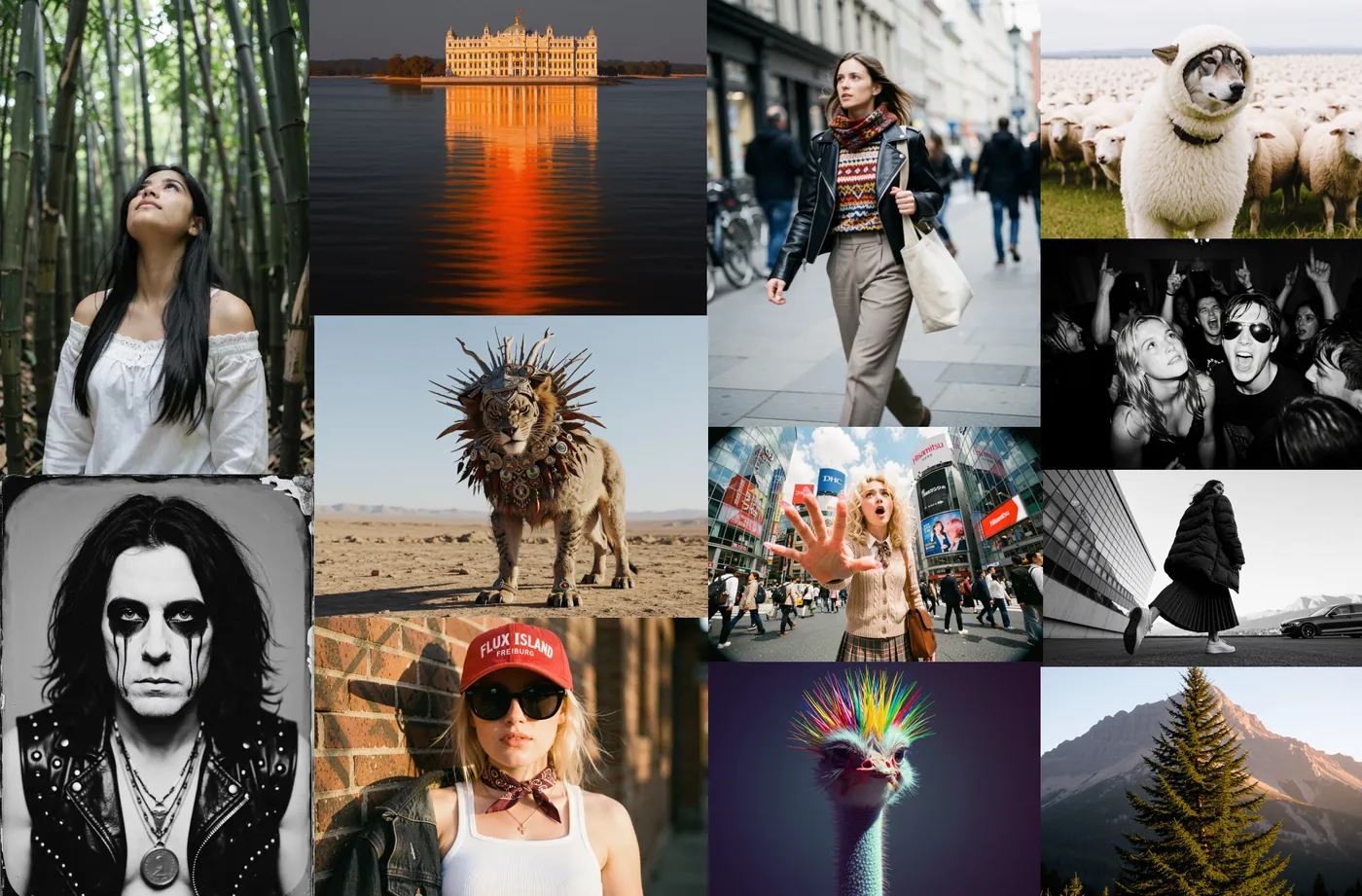
FLUX.2 [klein] is Black Forest Labs' family of compact, fast image models, released on January 15, 2026. "Klein" is German for "small": the models run on consumer hardware and, in their distilled form, generate or edit an image in around a second. This guide explains the four checkpoints, how they edit, and how to prompt a model that has no built-in prompt upsampling.
Log in and try FLUX.2 [klein]
FLUX.2 [klein] models and Klein-based checkpoints such as true2-klein run in Prism, SpyGlass, Vector, Unified Editor and PirateDiffusion, and Klein LoRAs can be imported to your library.
Graydient plans are compatible with FLUX.2 [klein]
Run FLUX.2 [klein] alongside more than 30,000 open image and video models on flat-rate GPU, with no credits and no per-image fees.
Already a member? Log in to My Graydient.
What is FLUX.2 [klein]?
Black Forest Labs describes FLUX.2 [klein] as its fastest image models to date. Each model unifies text-to-image, single-reference editing and multi-reference generation in one compact rectified-flow transformer.
- Two sizes: 4B and 9B. The 9B model pairs a 9B flow model with an 8B Qwen3 text embedder.
- Two types: 4-step distilled for speed, and undistilled base models for fine-tuning.
- Consumer hardware: the 4B model fits in about 13 GB of VRAM (RTX 3090/4070 and above).
- Quantized builds: FP8 (up to 1.6× faster, up to 40% less VRAM) and NVFP4 (up to 2.7× faster, up to 55% less VRAM), developed with NVIDIA.
The four checkpoints
| Model | Steps | Time (RTX 5090) | VRAM | License |
|---|---|---|---|---|
| 9B distilled | 4 | ~2 s | 19.6 GB | FLUX Non-Commercial |
| 9B base | 50 | ~35 s | 21.7 GB | FLUX Non-Commercial |
| 4B distilled | 4 | ~1.2 s | 8.4 GB | Apache 2.0 |
| 4B base | 50 | ~17 s | 9.2 GB | Apache 2.0 |
Timings and memory are from ComfyUI's launch post. Black Forest Labs notes that the base variants trade speed for full customizability and higher output diversity.
Editing and multi-reference
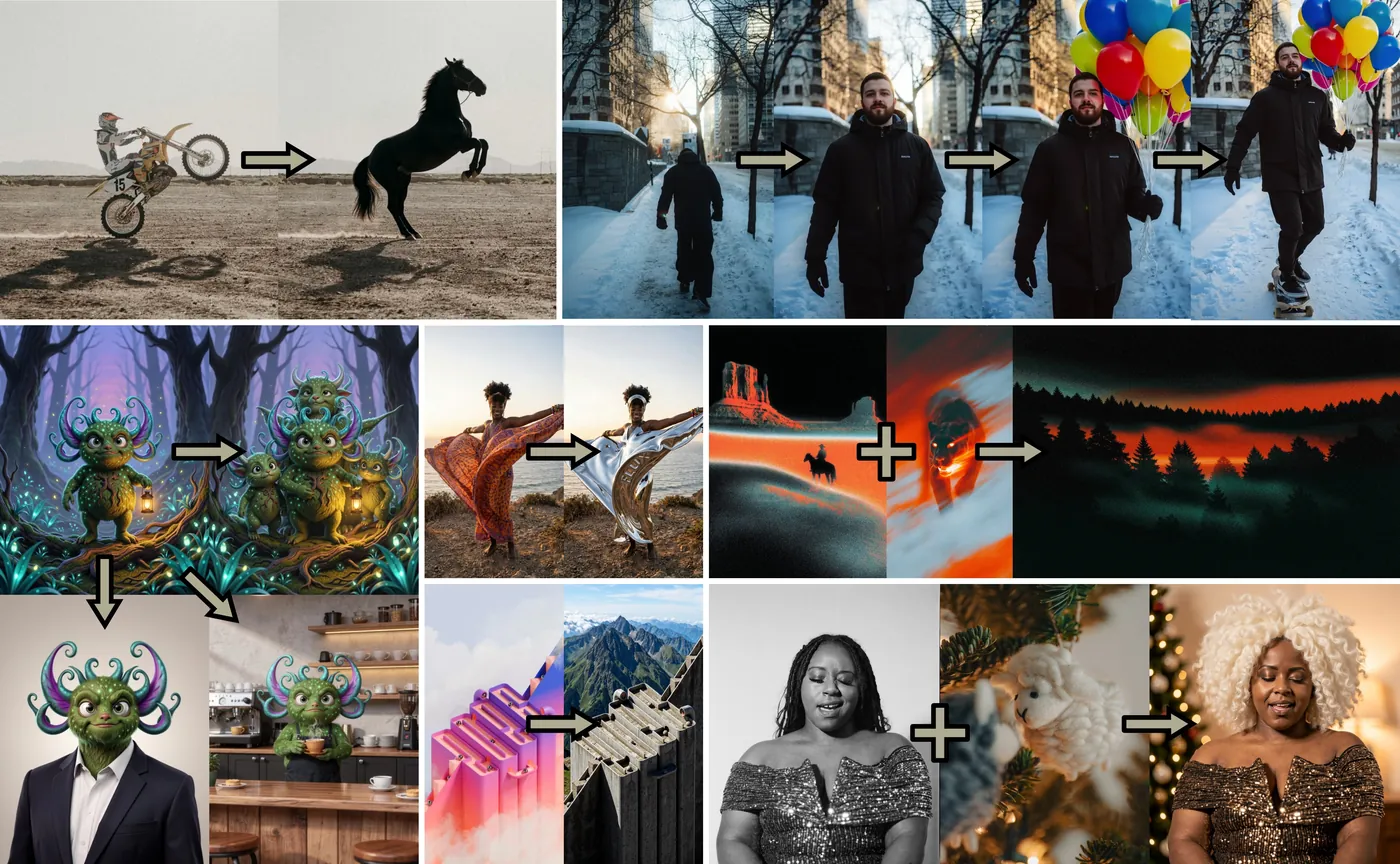
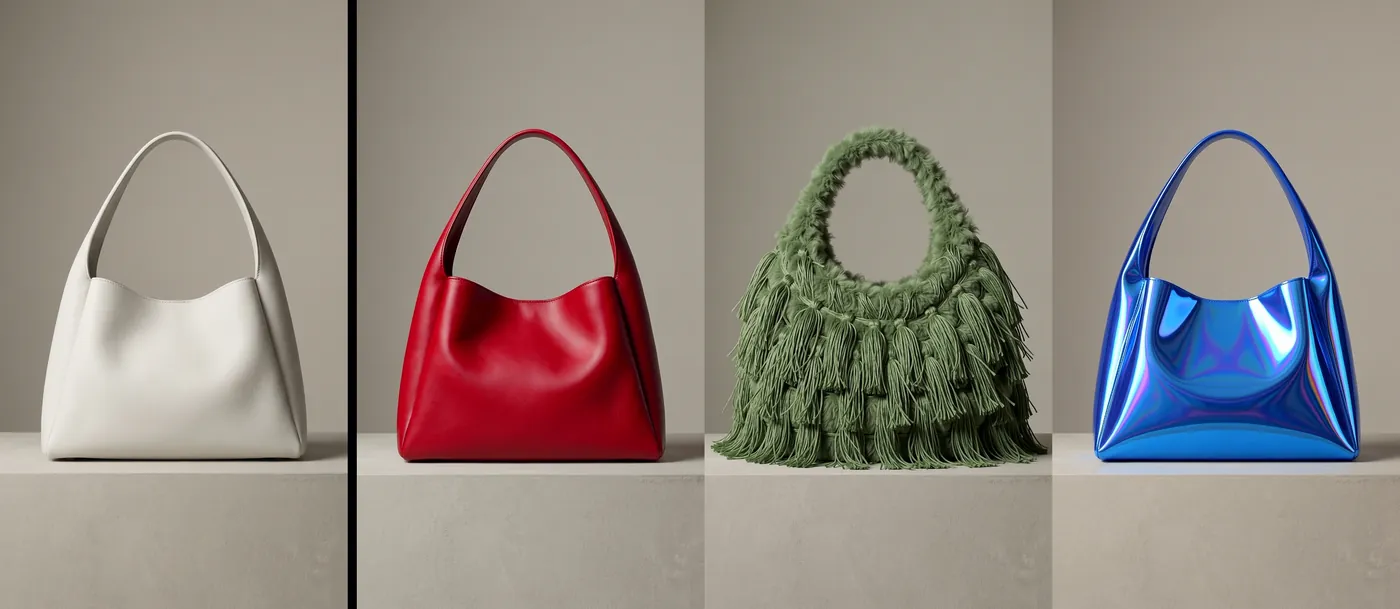
Both sizes support image editing in the same model: style transformation, semantic changes, object replacement and removal, multi-reference composition, and iterative edits across several passes. ComfyUI's examples show three practical patterns: exploring several angles of one subject, guiding a generation with multiple input images, and iterating on colour and material.

How to prompt FLUX.2 [klein]
Black Forest Labs is clear that Klein does not include prompt upsampling, so the prompt you type is the prompt the model sees. Its guidance for Klein is consistent across its knowledge base and published prompting rules.
1. Write like a novelist
Describe the scene in narrative prose, not as a keyword list. This is Black Forest Labs' own example for Klein:
A weathered fisherman mends his nets on a wooden dock at golden hour. His calloused hands work methodically while seagulls circle overhead. The warm light catches the spray of salt water in the air, creating a hazy, nostalgic atmosphere.
2. Front-load the subject and lean on lighting
Word order matters: put the subject first. Black Forest Labs advises emphasizing lighting heavily: the light source, its direction and its softness. Aim for roughly 40 to 70 words.
A cozy coffee shop interior bathed in warm afternoon light, steam rising lazily from ceramic cups, worn leather armchairs arranged around small wooden tables, bookshelves lining exposed brick walls, the soft atmosphere of a quiet afternoon with dust motes floating in sunbeams through tall windows
3. Ask for short text directly
Klein can render short text in images, although the model card cautions that rendered text may be inaccurate. Its own example is a simple sign:
A cat holding a sign that says hello world
4. Specify exact colours with hex codes
Black Forest Labs lists exact colour matching with hex codes, such as #02eb3c, among Klein's supported features.
5. For edits, say what changes and what stays
Reference what each input contributes and describe the change precisely. For multi-reference work, Klein accepts up to four reference images.

Recommended settings
| Setting | Value | Source |
|---|---|---|
| Distilled steps / guidance | 4 / 1.0 | Model card (Diffusers example) |
| Base steps | About 50 | ComfyUI blog |
| Resolution | 64×64 up to 4MP, multiples of 16 | BFL Knowledge Base |
| Reference images | Up to 4 | BFL Knowledge Base |
| Prompt length | About 40 to 70 words | BFL prompting rules |
LoRAs and fine-tunes
Train LoRAs on the base checkpoints, not the 4-step distilled ones. A Klein LoRA is tied to its size: Klein 4B, Klein 9B and FLUX.2 [dev] each need their own LoRA, and FLUX.1 LoRAs do not apply. Community fine-tunes built on Klein, such as True2 Klein, run at guidance 1 in a handful of steps.
Limitations
- No prompt upsampling. Short prompts get what they ask for; write the detail yourself.
- Up to four references. Larger FLUX.2 models accept more.
- Text can distort. The model card notes rendered text may be inaccurate.
- License split. 4B models are Apache 2.0; 9B models are under the FLUX Non-Commercial License.
How to use FLUX.2 [klein] on Graydient
You are all set. FLUX.2 [klein] models and Klein-based checkpoints such as true2-klein run in Prism, SpyGlass, Vector, Unified Editor and PirateDiffusion, and Klein LoRAs can be imported to your library. Use the Log in to My Graydient button at the top of this page, open your app, and paste a prompt from this guide.
- Choose a Graydient plan. Graydient plans are compatible with FLUX.2 [klein].
- FLUX.2 [klein] models and Klein-based checkpoints such as
true2-kleinrun in Prism, SpyGlass, Vector, Unified Editor and PirateDiffusion, and Klein LoRAs can be imported to your library. - Paste a prompt from this guide and render. Plans are flat-rate, so there are no credits or per-image fees.
Workflow details: True2 Klein workflow · How to use a Flux and Flux 2 LoRA · How to train a Flux LoRA
Graydient plans are compatible with FLUX.2 [klein]
Run FLUX.2 [klein] alongside more than 30,000 open image and video models on flat-rate GPU, with no credits and no per-image fees.
Already a member? Log in to My Graydient.
FLUX.2 [klein] FAQ
What is FLUX.2 [klein]?
FLUX.2 [klein] is a family of compact image models from Black Forest Labs, released on January 15, 2026. It unifies text-to-image and image editing in one architecture, at 4B and 9B parameters.
What is the difference between 4B and 9B?
The 9B model is the flagship small model, built on a 9B flow model with an 8B Qwen3 text embedder. The 4B model fits in about 13 GB of VRAM. The 4B models are Apache 2.0; the 9B models use the FLUX Non-Commercial License.
Base or distilled?
The distilled models run in 4 steps for the fastest inference. The base models are undistilled, run around 50 steps, keep more output diversity and are the ones to fine-tune and train LoRAs on.
How should I write prompts for Klein?
Klein has no prompt upsampling, so write narrative prose: subject first, then setting, action, composition and especially lighting. Black Forest Labs suggests roughly 40 to 70 words.
How many reference images does Klein take?
Black Forest Labs lists up to 4 reference images for FLUX.2 [klein] editing and multi-reference generation.
Is FLUX.2 Klein compatible with Graydient plans?
Yes. Graydient plans are compatible with FLUX.2 [klein], Klein-based checkpoints such as True2 Klein, and imported Klein LoRAs.
Sources
- FLUX.2 [klein]: Towards Interactive Visual Intelligence (Black Forest Labs, Jan 15, 2026)
- black-forest-labs/FLUX.2-klein-4B model card (Hugging Face)
- FLUX.2 [klein] 4B & 9B in ComfyUI (ComfyUI blog, Jan 15, 2026)
- How do I generate quickly with FLUX.2 [klein]? (BFL Knowledge Base)
- FLUX.2 prompting rules (Black Forest Labs, GitHub)
Images are example outputs published by the model authors and the community on Hugging Face and the ComfyUI blog, used with credit. They were not made on Graydient. Specifications are as stated by the model developers at release.