
Run Civitai models unlimited. No Buzz, no credits, no meter.
If you use Civitai, you know the meter: every picture costs Buzz, stacked LoRAs cost more, and the balance runs out when a prompt starts working. Graydient is different. Pick a model from the 4,600++ compatible checkpoints and LoRAs in the ModelTrends catalog, import it with one click (how to install models from ModelTrends on Graydient), and render as much as you want on a flat monthly plan. log in to Graydient to start, or compare plans and pricing. No per-image cost and no currency colours to track.
Popular Civitai models you can import today
A few of the most used checkpoints and LoRAs in the catalog right now. Each card opens the one-click import walkthrough (how to install models from ModelTrends on Graydient): trigger words, example prompts and the shortcode that loads the model in Prism, SpyGlass, Telegram or the API.



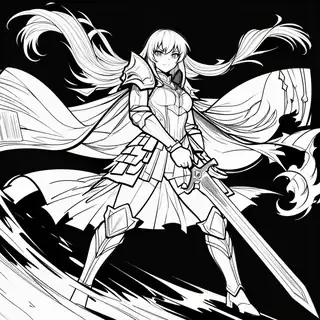








These are a sample of the 4,600++ models you can install from ModelTrends. Browse by family, type and trend there, then import any listing with a ShortCode through how to install models from ModelTrends on Graydient. Not listed yet? Paste a Civitai link in Model Import (how to import Civitai and Hugging Face models on Graydient).
What unlimited means here
Unlimited is the whole plan, not a tier you unlock. The same word applies to every kind of job and every model in your library:
- Render as many pictures as you like, at any resolution the model supports, with as many LoRAs stacked as the workflow allows. The price does not change with the prompt.
- Video, upscaling, inpainting and image editing are included on the plans that carry them, with no separate meter for the heavy jobs.
- Your library is yours: the checkpoints and LoRAs you import stay installed, and you can use them from a web browser, Telegram, Discord or the API with the same account.
- Nothing to earn, claim or top up. There is no daily reward to collect and no balance to watch while you iterate on a seed.
- Fair use keeps it fast for everyone: the plans run a fixed number of jobs at once, so a long batch queues behind your own earlier jobs, not behind a paywall. See flat-rate vs. credits for the detail.
How a Civitai model gets into Graydient
You do not download anything and you do not need a graphics card. There are three ways in, and they all end with the model in your library:
- One click from ModelTrends. Find a model with a ShortCode on ModelTrends, press install, and it appears in your Graydient library. Full walkthrough: how to install models from ModelTrends on Graydient.
- Paste a Civitai or Hugging Face link in Model Import in your dashboard. Most .safetensors files under 25GB work. Full walkthrough: how to import Civitai and Hugging Face models on Graydient.
- Pick a workflow that already uses it. Hundreds of ComfyAPI workflows are built around popular Civitai checkpoints, so for many models there is nothing to add at all.
Once a model is in your library it renders the same way everywhere: by shortcode in the easy chat creator (Prism), from the model picker in the pro studio (SpyGlass), as a command in PirateDiffusion on Telegram or Vector on Discord, or as a parameter in an API call. ModelTrends install: how to install models from ModelTrends on Graydient. Civitai and Hugging Face links: how to import Civitai and Hugging Face models on Graydient. More on file types and storage: host your own AI models.
Credits on Civitai vs a flat rate on Graydient
On Civitai each picture spends Buzz. The cost depends on the base model, resolution, steps, LoRA stack and creator share. A plain SDXL draft is cheap; Flux, upscales and video multiply the bill. When the balance hits zero you buy more or wait. what Civitai Buzz is explains the colours and the rules.
Graydient sells flat monthly plans, not a per-render meter. One price covers unlimited image renders on the Images plan for the whole month: seed tries, LoRA stacks and resolution do not change what you pay. Video and API access sit on the higher plans. See flat-rate vs. credits for how fair-use concurrency works.
If you render occasionally, a Buzz balance on Civitai may be enough. If you iterate every day, stack LoRAs, or make video, a flat plan stops the balance from cutting you off mid-session. Compare plans and pricing, pick Images or Video Plus, and log in to Graydient when you are ready. Every plan includes a 7-day money-back guarantee.
Which Civitai models work
- Checkpoints and LoRAs for SDXL, including Illustrious, Pony and NoobAI fine-tunes, for Flux, Flux 2, Qwen Image, Z-Image, Chroma, HiDream, Lumina and Stable Diffusion 1.5.
- Video LoRAs for Wan 2.1 and 2.2, LTX and Hunyuan on the Video Plus and Video Max plans.
- Embeddings and textual inversions for the Stable Diffusion families.
- Trigger words, recommended weights and example prompts carry over: the model's page on ModelTrends lists them, and the apps apply them for you.
- Models that are not open weights (closed services sold through Civitai) and files over 25GB are the exceptions. Our acceptable use policy applies to what you render.
Not sure about a specific model? Search on ModelTrends. If it is listed with a ShortCode, use how to install models from ModelTrends on Graydient. If it is not on ModelTrends, use install a Civitai model that is not on ModelTrends (PirateDiffusion guide) for self-install in PirateDiffusion, or paste a Civitai link into Graydient Model Import: how to import Civitai and Hugging Face models on Graydient.
Questions
Do I need to download the model files or own a GPU?
No. You import from ModelTrends (or paste a Civitai link) and render on Graydient's GPUs from a web browser, Telegram, Discord or the API on any computer, tablet or phone, including devices with no graphics card at all.
Does unlimited really mean unlimited?
Yes. There is no per-image price, no monthly render cap and no metered extra for high resolution, LoRAs or video on the plans that include them. The plans differ in how many jobs run at the same time and in what they include, not in how many renders you may make.
Can I use the exact same checkpoint and LoRA versions I use on Civitai?
In most cases yes. ModelTrends tracks the Civitai versions, so you can import the specific version you want, and Model Import takes any Civitai version link directly. Trigger words, weights and example prompts are shown on the model's page.
What about Buzz I have already bought?
That stays on Civitai and keeps working there. Graydient is a separate service with its own flat plan; nothing moves between the two except the open models, which are free to use on both.
How does a flat Graydient plan compare with Buzz?
Buzz is pay-as-you-go: heavy weeks burn through a balance fast. Graydient charges one monthly price for unlimited renders on the plan you pick, so iteration does not stop for a top-up. plans and pricing lists Images, Video Plus and Video Max, and every plan includes a 7-day money-back guarantee.