Important Note: This is an external paid service, not related to Graydient’s Unlimited Plans. You should first have a membership with FAL and GOOGLE to use this.
Graydient now supports external workflows — including Kling 3 video and Google’s Nano Banana image model (Gemini 3.1 PRO), by popular demand.
This is a convenience feature that brings popular closed-source models into your bot, even ones that have never released their weights publicly. To be clear: we’re not hosting these models, so they can’t be included in our unlimited plans. They run through external providers via your own API keys, billed at their rates.
PREREQUISITES
Note: This feature requires a Graydient.ai Pro or Plus plan. You will need a membership at FAL or GOOGLE or DEEPINFRA depending on the workflows and models you wish to use.
SIGN UP FOR THOSE MEMBERSHIPS AT:
Google: https://aistudio.google.com/projects
FAL: https://fal.ai
Find the API page and generate a key. API keys work like membership cards, and think of Graydient’s apps as a telephone. We’re just making the connection for you. They’ll answer if they know your key.
HOW TO SET IT UP: WEB METHOD
Login to your graydient account and click on Profile > External keys.
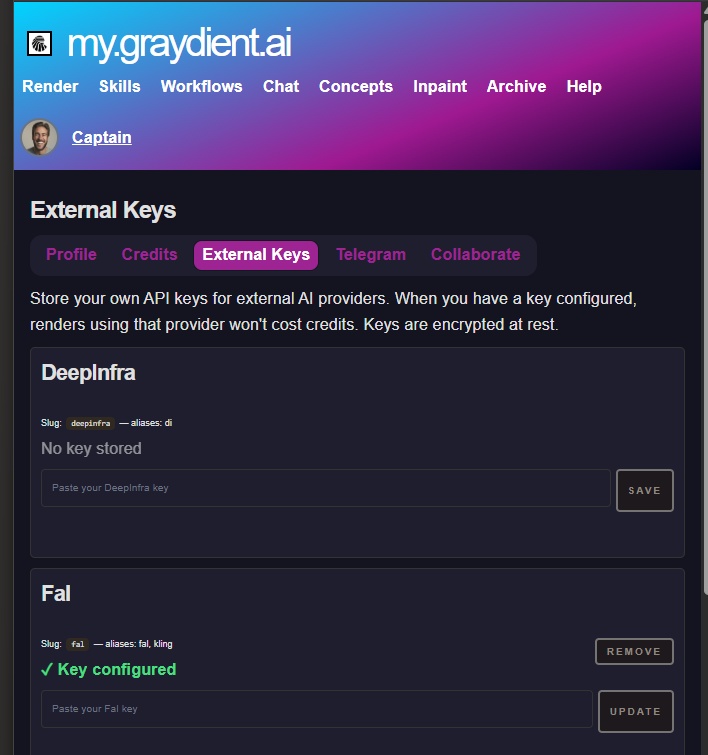
TIP: PRACTICE SAFE KEY GENERATION
Don’t use one API key for all of your services. It’s best practice to make a key specifically for Graydient.
We make the best effort to encrypt your keys in our database. If your account or our entire service ever gets compromised, you’ll have the peace of mind of being able to cut ties with that API key quickly.
HOW TO SET IT UP: TELEGRAM METHOD
Open your PirateDiffusion bot and type /ext /providers to open the external API keys menu.
You’ll see a list like this:
DeepInfra = alias: di
Fal = aliases: fal, kling
GoogleAI = aliases: gemini, google, vertex
Example: adding Kling 3
Kling 3 runs on Fal, so you’ll need a Fal API key. Go to fal.ai, sign up, and generate a key in your account settings. You manage your own billing directly with Fal.
Once you have your key, add it using this pattern:
/ext /add:alias key
For Fal, that looks like:
/ext /add:fal YOUR_KEY_HERE
For Google, it’s
/ext /add:google YOUR_KEY_HERE
REMOVAL KEY
To remove a key or provider, type
/ext /del:fal
USING EXTERNAL WORKFLOWS
External workflows have “ext” in the name. You can find them in the workflows area.
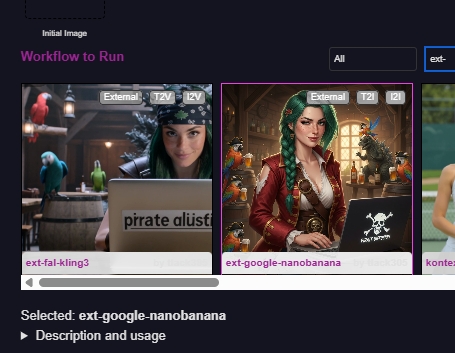
In Unified editor, look in the workflows area or just type ext- to search for them
IMAGES
Telegram Commands
/workflow /run:ext-google-nanobanana close-up of Japanese office workers wearing animal hats, making silly faces, in an office setting
Web UI instructions
Type what you want to create in the Render box. (Alternatively, type it in the Skills box to get a much more detailed prompt, or collapse it by clicking the arrow to hide it) then choose the workflow and press render. Your results should appear shortly, like this.
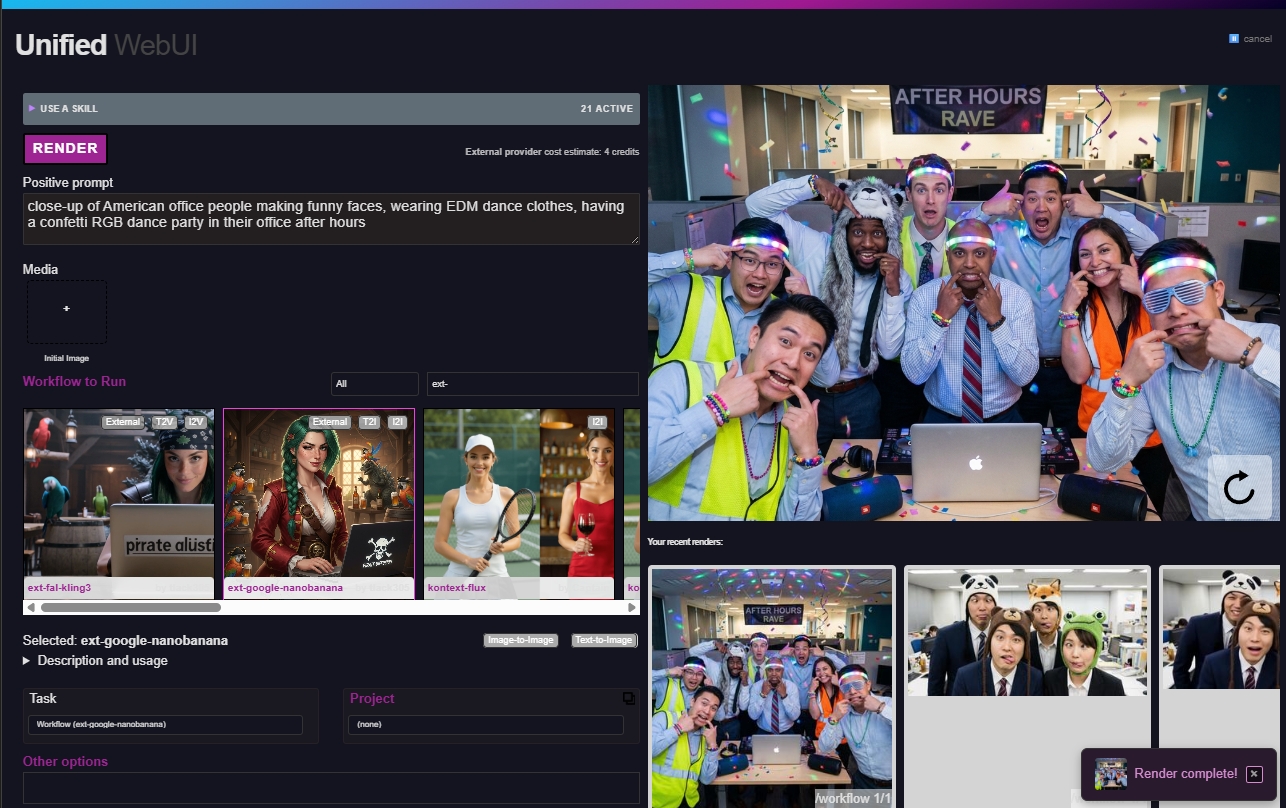
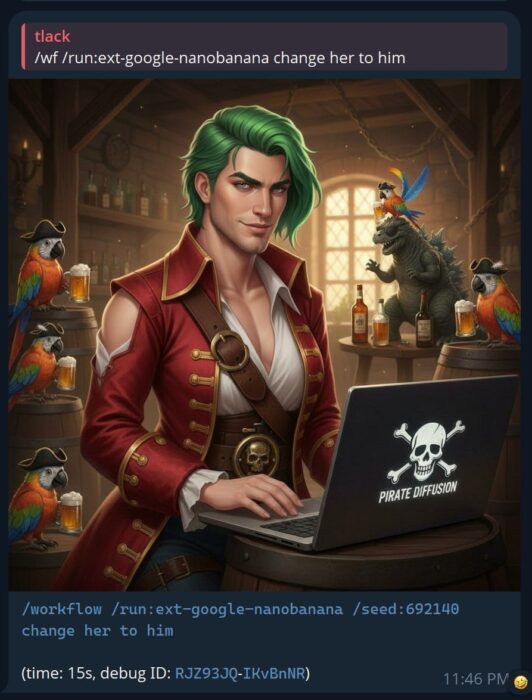
Nano Banana supports text-to-image and also image-to-image, which you can upload below the render button. This also works in PirateDiffusion (reply to image in Telegram with the workflow command)

NanoBanana works well for realistic and illustrated work with detailed background and accurate anatomy.

You can respond to the initial image with the external google banana workflow to edit the image as well
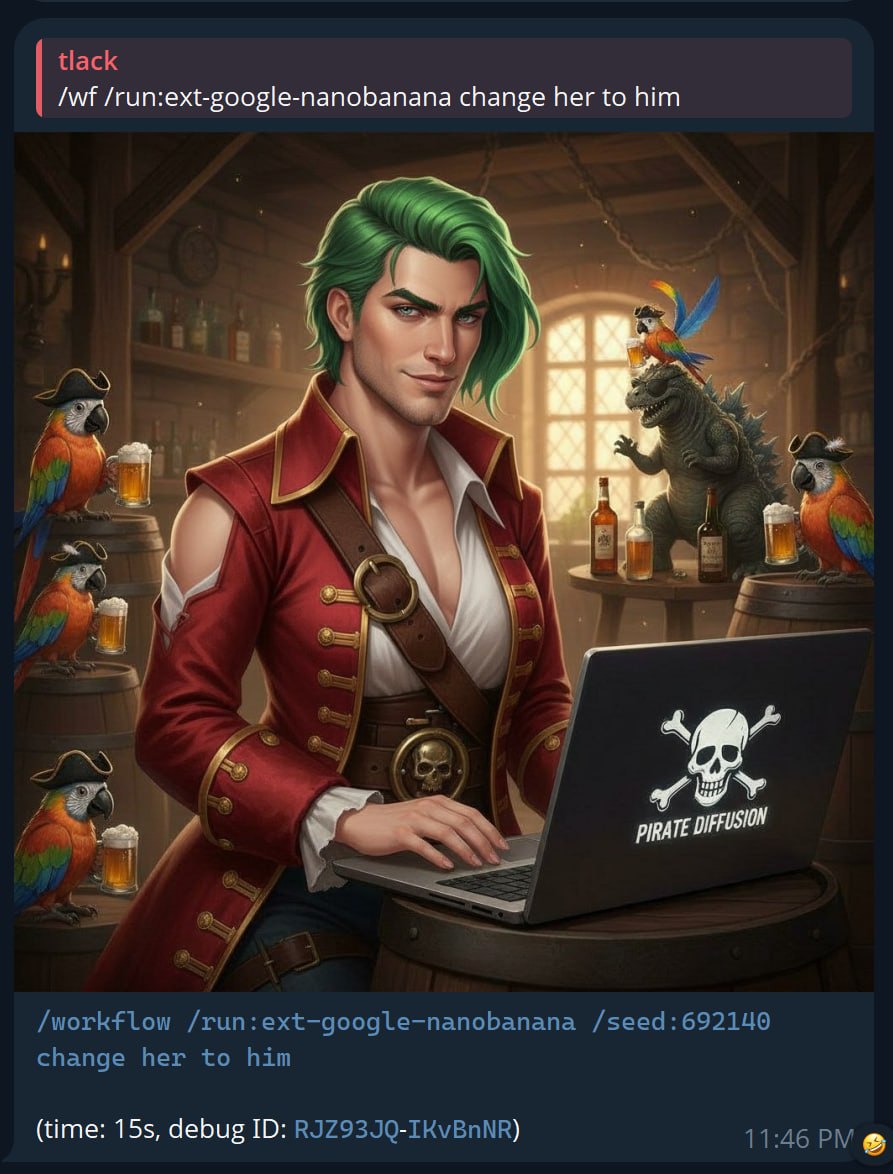
The image quality of Nano Banana Pro features detailed depth of field, realistic skin textures, and very good image editing properties, however is more censored than the open source Graydient-hosted models available in our Unlimited plans. In other words, different tools for different jobs. You can find similar models without per-editing fees on our workflows area. The paid external models always start with “ext-“.
VIDEOS
It works similarly to images. Kling 3 supports text-to-video as well as image-to-video (reply to image).
In Telegram, simply reply to the photo with the animation like this:
/workflow /run:ext-fal-kling3 He dances to pirate music and bats his long eyelashes seductively. The camera zooms in to capture his express as he stares hard. It zooms even closer in on his insane staring eyes.
COST ESTIMATES
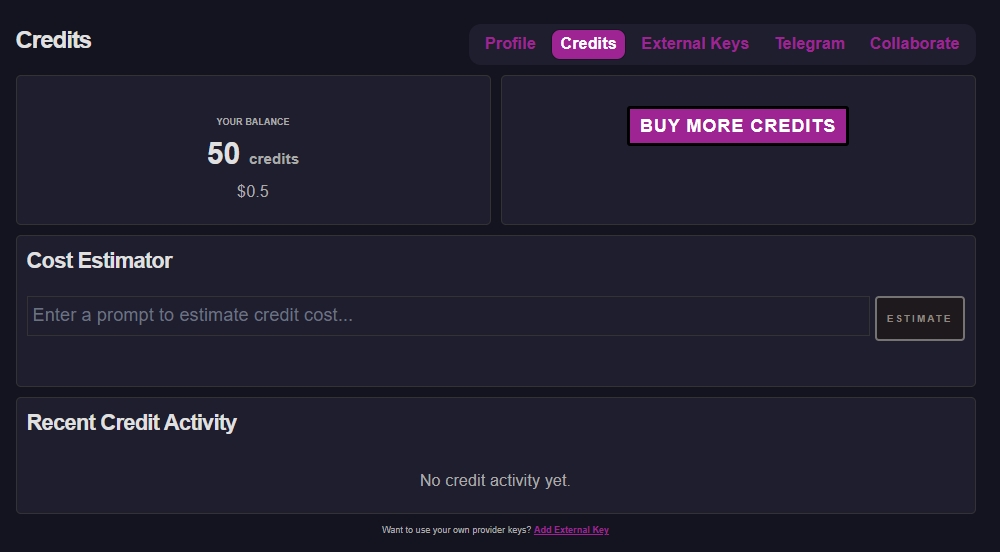
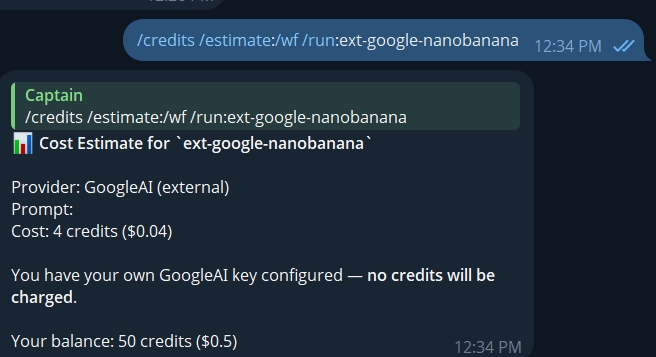
The most accurate way to determine the cost of these is to check the third party website. We provide a handy calculator based on our understanding of their costs, but this is just an average and may not reflect real world usage.
To use the calculator in PirateDiffusion, try it like:
/credits /estimate:/wf /run:ext-fal-kling3
/credits /estimate:/wf /run:ext-google-nanobanana
LIMITATIONS
During this initial release, all videos are letterbox. You can’t set size or aspect ratio yet.
Third party services have different content policies. For example, neither FAL or Google will allow you to generate NSFW content.
TROUBLESHOOTING
These are busy 3rd party services that are prone to timeouts and bad network conditions. If it fails with a timeout error, just try again in a few.
If your API key is configured incorrectly, you’ll receive a verbose message specifically about that or lack of funds. Pay close attention to the messages in the error, as sometimes extra information appears above it.
COMING NEXT – ALL YOUR EXTERNAL CREDITS IN 1 PLACE
A future update will let you buy and manage external tokens directly through us, so you won’t need to juggle multiple accounts and API keys.
If there are other AI services with solid APIs you’d like us to integrate, drop a comment and let us know!
The credits page will eventually let you manage external subscriptions as a proxy.
Don’t use this yet.