
Animate LTX-2.5 画像から動画へのワークフロー
LTX-2.5は画像を動画に変換し、同時に音声も生成します。モデルは自然言語を理解するので、音声を得るために特別なタグやトリックは不要です。何が起こり、何が聞こえるかを説明してください。長いワンショット動画も可能で、ホームページの例は1つのプロンプトから1200フレームのクリップです。プロンプトエンハンサー(/slot1:1)はあなたのプロンプトをより詳細に書き換え、全体の品質を向上させます。
Graydient搭載アプリで対応/利用可能





サンプルレンダリング
このワークフローで動くモデルで作られ、ModelTrendsのクリエイターが共有したものです。サムネイルを選ぶと、作成されたプロンプトと共に大きく表示されます。




Petishamiaouによる(LTX-2 Lora) - Rally (Race) Driver POV Videoでのレンダリング
r4llyp0v, POV view of a kitten driving a formula1 car on a track at fast speed.
kabachuhaによるDisguise Drop - LTX-2 / Wan2.1 14B FLF2Vでのレンダリング
Disguise drop. A knight in shining, bulky armor stands in a castle courtyard. He struggles to move, then has an idea. He unzips the chest plate, revealing not a man, but a clever miniature raccoon inside. The miniature raccoon pops out, drops the suit, and scurries off with a piece of stolen treasure.
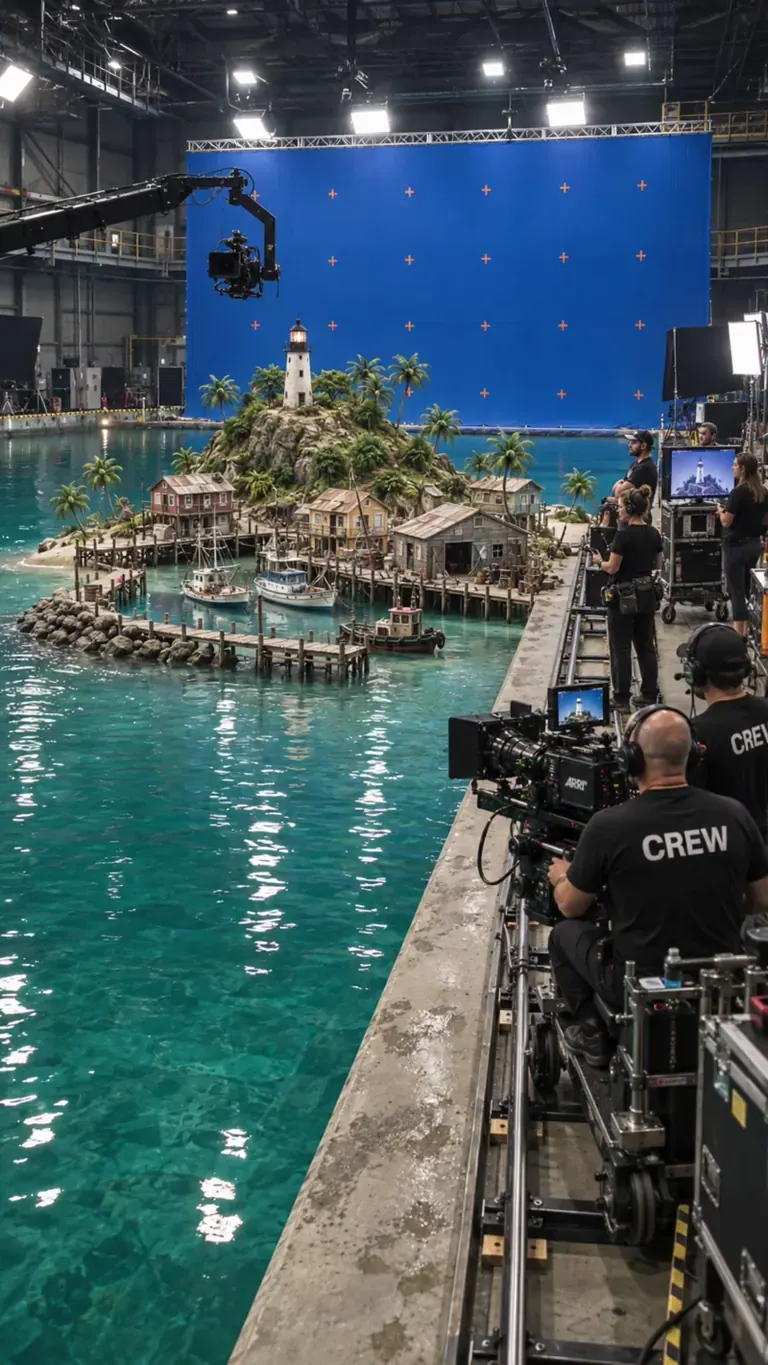
SolricksによるBTS Movie Setでのレンダリング
btssetstyle, locked-off stationary camera, miniature water-tank film shoot. The off-screen director calls, "And... action!" as a wave-maker sends a realistic surge across the studio tank. The wave crashes into the miniature harbor, tossing scale boats and flooding the wooden piers with white foam. As the water dissipates into calm foam, the director calls, "Cut!" The camera crew in the foreground relaxes, smiles, and applauds the take. Realistic water physics, blue-screen soundstage, 4k photorealistic
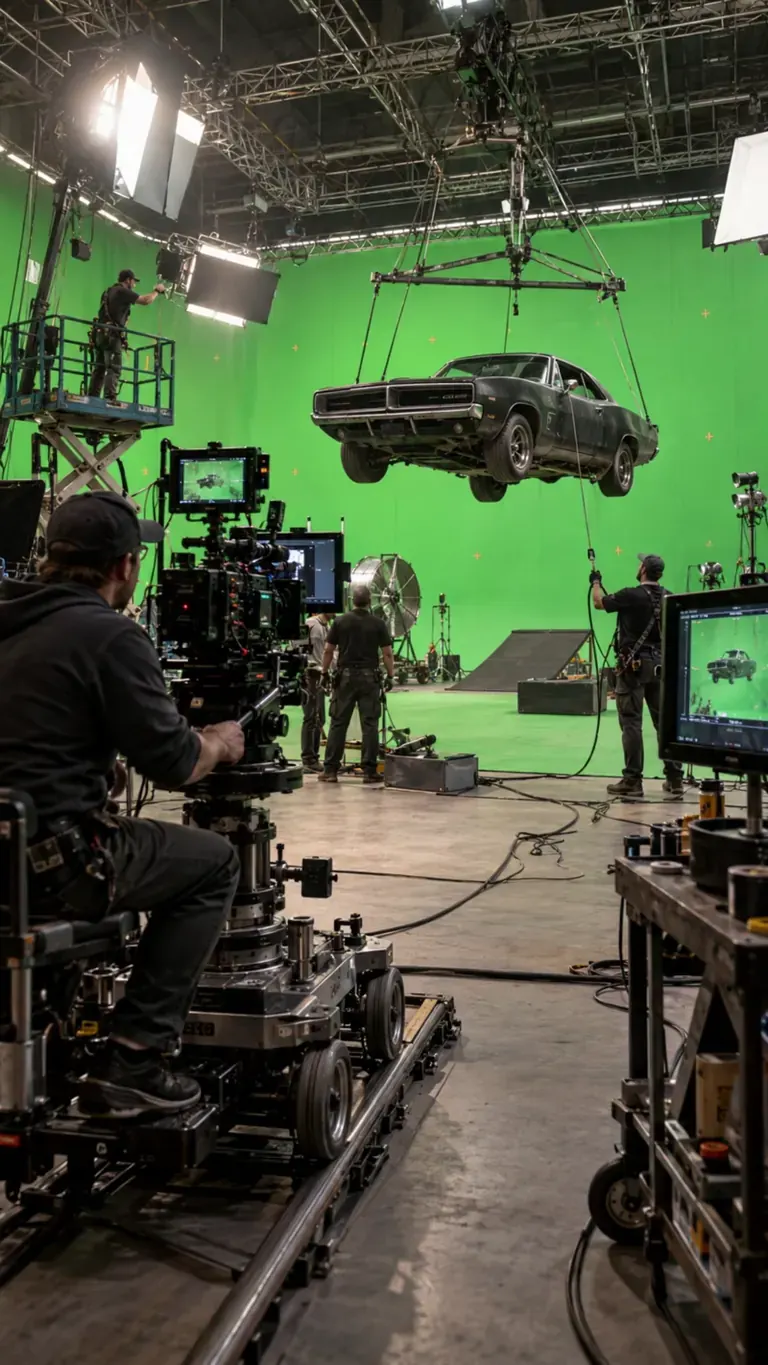
SolricksによるBTS Movie Setでのレンダリング
btssetstyle, Create a realistic behind-the-scenes vehicle stunt shoot. The suspended car moves very slightly on its rig with believable weight and inertia while crew members make natural adjustments around the set. The camera operator slowly moves the dolly along the track, technicians monitor the suspended vehicle, and the overhead rig remains stable. Keep all green-screen walls, stunt equipment, camera rigs and visible crew present throughout. Motion should be restrained, physically grounded and documentary-like, as if filmed during a real high-budget action production.
kronos1959777によるImmediate Scene Transition [LTX 2.3]でのレンダリング
closeup of Ted_Bear in his living room on the phone saying, \"oh god, Jeffrey, you're in prison!?\" immediate scene transition to the same person (Ted_Bear) inside a prison visitor room talking to an unseen figure. After the scene transition, Ted_Bear is saying, \"Oh, Jeffrey, thank god you're doing okay. Are they treating you well here? I can't imagine my good friend Jeffrey ending up in a place like this. You've always been so good to people, especially ***.
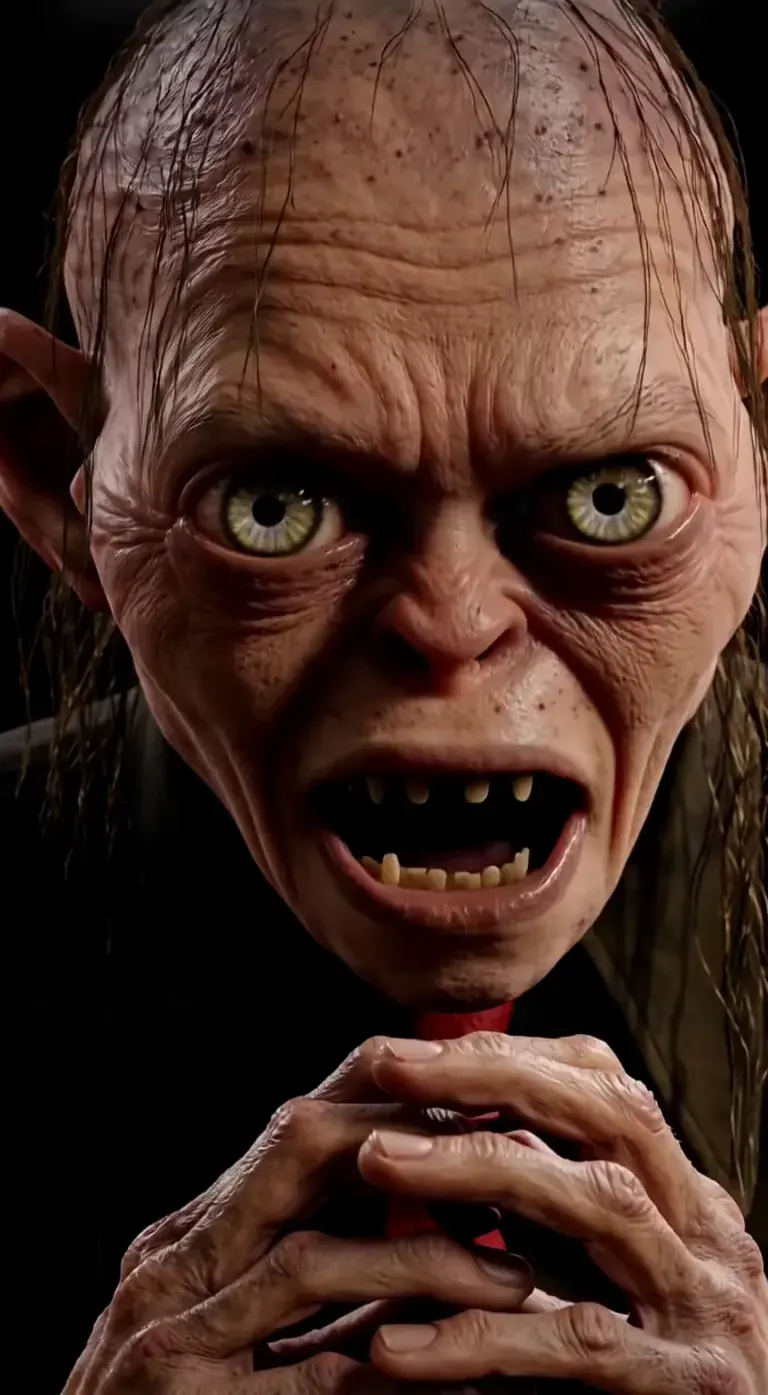
playtime_ai_によるプロンプト · Gollum - LTX-2
Every time I hear trump speak, this is how I see it in my head... It really isn't fair to Gollum though. At least Gollum has redeeming qualities. Anyway, Donald Trump really said this dumb shite. Enjoy!
playtime_ai_によるGollum - LTX-2でのレンダリング
Every time I hear trump speak, this is how I see it in my head... It really isn't fair to Gollum though. At least Gollum has redeeming qualities. Anyway, Donald Trump really said this dumb shite. Enjoy!
 ModelTrendsのAI画像・動画モデルカタログからのレンダリングとプロンプトです。
オプション
| オプション | マッピング先 | デフォルト |
|---|---|---|
(image) | Load Image → image | — |
(prompt) | CLIP Text Encode → text | — |
/guidance | KSampler → cfg | 3 |
/length | LTXV Img To Video → length (frames) | 1200 |
/seed | KSampler → seed | random |
/size | LTXV Img To Video → width, height | 640 × 640 |
/slot1 | Prompt Enhancer → enhance (1 = on) | 0 |
/steps | KSampler → steps | 30 |
使用モデル
 Animate LTX-2.5 ModelTrendsのショートコード
/run:animate-ltx25でインポートされたモデル ModelTrendsで見る 開発者向け(任意)
APIの例スニペット。個人利用のアプリをこのワークフローで作れます。展開準備ができたらビジネスプランにアップグレード。完全なレンダリングAPIドキュメントを参照。
curl https://cloud.graydient.ai/api/v3/render/ \
  -X POST \
  -H "Content-Type: application/vnd.api+json" \
  -H "Accept: application/vnd.api+json" \
  -H "Authorization: Bearer $GRAYDIENT_TOKEN" \
  -d '{
    "prompt": "/workflow /run:animate-ltx25 /size:640x640 /length:1200 a parrot and a pirate are singing. the lyrics are about booze, pizza, generative ai, pirate, diffusion, \"making longer videos in one shot prompts is now possible\"",
    "callback_url": "https://example.com/webhook/render"
}'これは裏側の仕組みです。すでに設定済みです。上の表のパラメータはこれらのスロットに差し込まれ、動作や読み込むモデルを変更できます。理解や修正は不要で、そのまま動作します。
読み取り専用ビュー。ハイライトされたピルは呼び出しで設定可能なオプションです。 自然なプロンプトで、動きだけでなく音も説明してください。
ModelTrendsのノードドキュメント
このグラフのノードのわかりやすい説明:それぞれの役割、入力と出力、エラーの対処法。
すべてのワークフロー:強力なワークフロー