
MiniMax H3 テキストからビデオへのワークフロー
MiniMax H3はプロンプトをビデオに変換し、同時に音声も生成します:シーン、動き、聞こえるものを説明すると、音声付きのクリップが返ってきます。Graydientで最も使われているビデオワークフローで、多数のファインチューニング済みスタイルと動きがLoRAとして利用可能です。オープンウェイトでホストされており、セットアップ不要で呼び出せます。
Graydient搭載アプリで対応/利用可能





サンプルレンダリング
このワークフローで動くモデルで作られ、ModelTrendsのクリエイターが共有したものです。サムネイルを選ぶと、作成されたプロンプトと共に大きく表示されます。
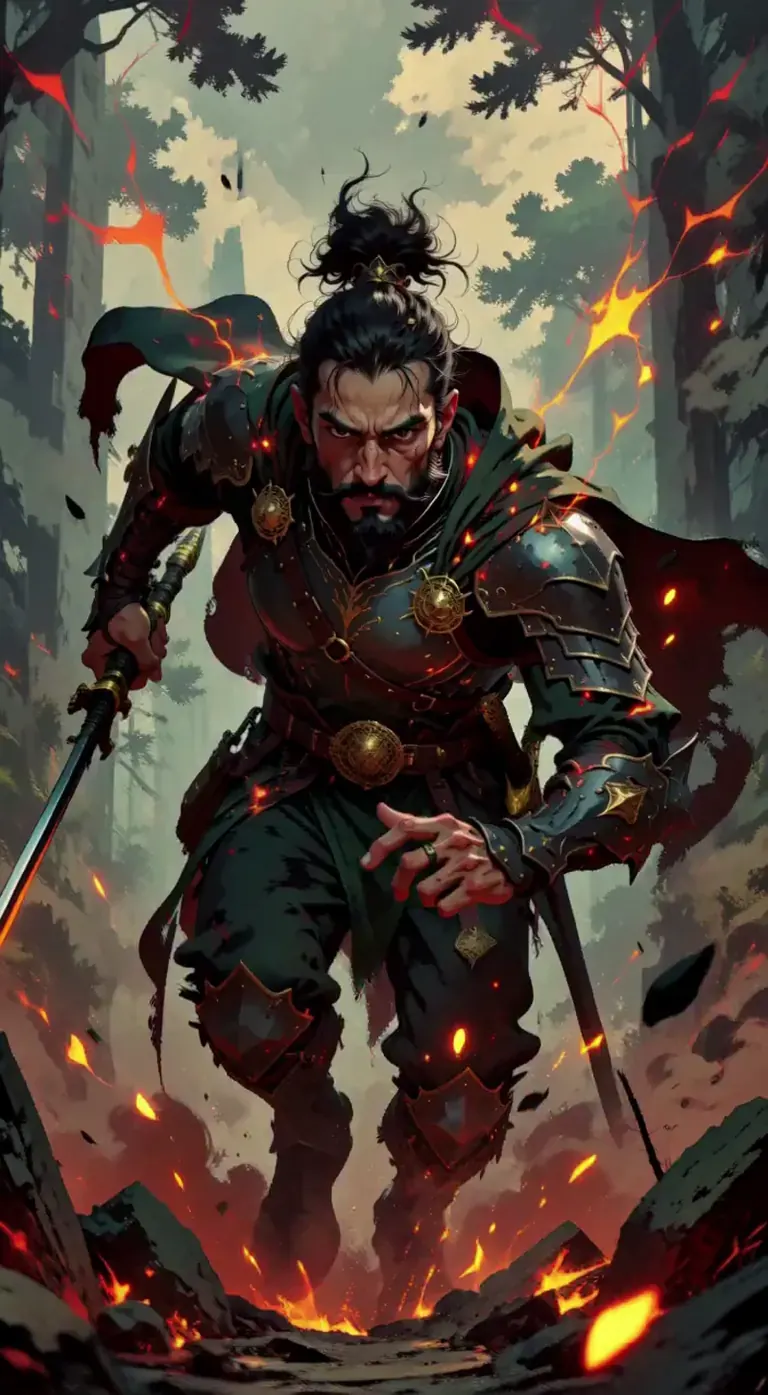




Moonbear_AIArtによるGrandline - Legendary Stylized Illustrationでのレンダリング
a stylized illustration of a warrior lunging forward through smoke and sparks, cloak whipping in the wind, embers trailing behind, intense forward motion, dynamic perspective, cinematic lighting
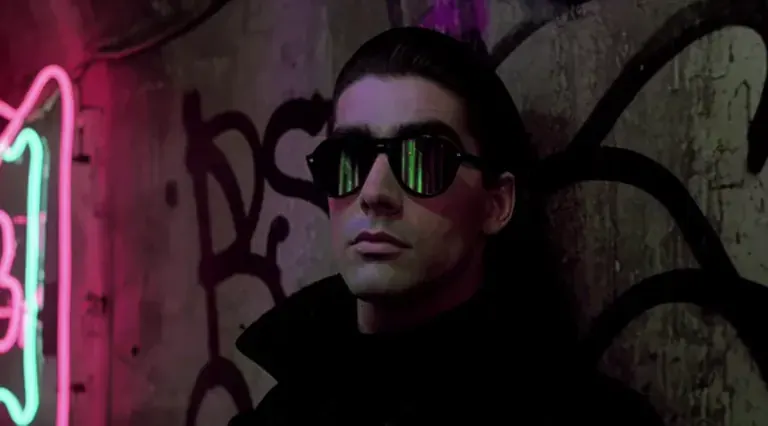
FuenfFingerFaultierによるDark Cinematic Videoでのレンダリング
Cinematic close-up shot of a 30 y.o. man with mirrored sunglasses and a long black coat, leaning to the wall of a dirty neon-lit tunnel with graffiti on the wall. Looking very cool and handsome, dark hair slicked back. He looks to the viewer and takes off his sunglasses, revealing large, ridiculous googly eyes underneath. Techno dance music, flickering lights. 1980s movie, high resolution. Photorealism, 8K, soft focus, depth of field.
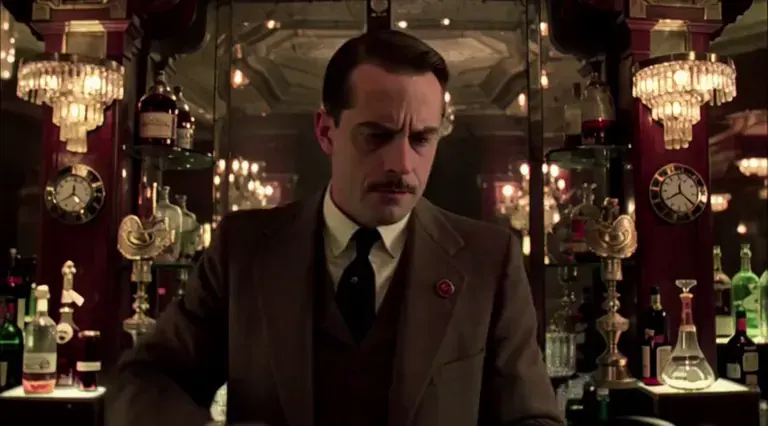
FuenfFingerFaultierによるDark Cinematic Videoでのレンダリング
Cinematic medium shot of a bar keeper in a very posh, 1950s upscale bar. He picks up an old-fashioned telephone and puts it to his ear. A distorted voice on the telephone says "Is your refrigerator running?". The bar keeper answers "yes". The voice on the phone says "Then you better catch it" and bursts out laughing. The bar keeper hangs up the phone with a trembling hand. He looks into the camera angry, furrowing his brow and clenching his jaw, then cries out in anger. No music. 2020s movie, high resolution. photorealism, 8K, sharp focus
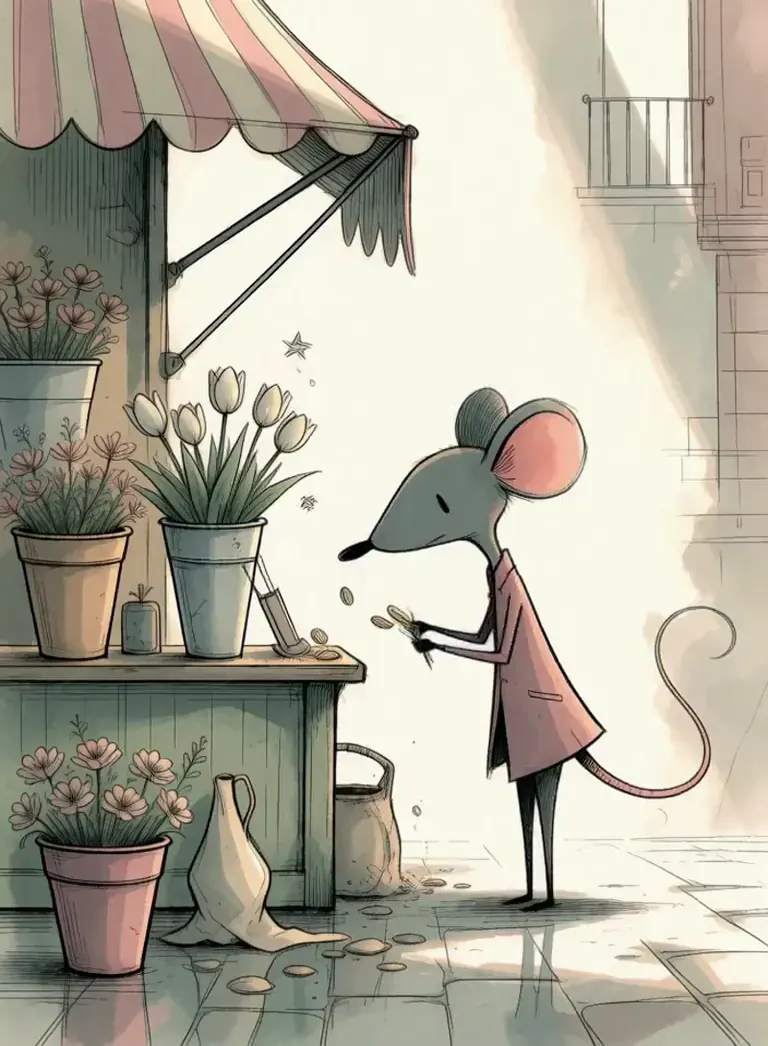
liutyi2によるStrange Reverieでのレンダリング
StrangeDaal, pink coat mouse mouse buy a 3 flowers bouquet and walk with the bouquet down the street
Solricksによる3D Animation Styleでのレンダリング
3dsrx, a raccoon wearing a blue denim jacket and a red scarf sits on a stone bench, holding a sandwich in his left hand and a small piece of bread in his right hand. The raccoon has a friendly expression and is looking at a hedgehog sitting on the same bench. The hedgehog is holding a piece of bread in its right hand and has a happy expression. The background features a garden with colorful flowers, including purple and pink blooms, and a stone path leading into the distance. A lamppost stands in the background, and the sun is shining brightly, casting a warm glow over the entire scene.
ReltivlyObjectvによるStylized PBR Animation [MiniMax H3 Ref2VA]でのレンダリング
PBRSty1e, highly detailed cinematic video, complex crowd motion, rich environment. A bustling medieval marketplace at golden hour. Dozens of people move naturally through the frame — merchants calling out, children running, carts rolling over cobblestones. Colorful cloth canopies sway gently, hanging lanterns glow warmly, and dust floats in the low sunlight. The camera tracks slowly forward at eye level through the dense crowd, weaving between people, occasionally brushing past hanging fabrics. Strong depth, layered movement, realistic cloth and ambient life. Mood is lively, warm, and immersive.
CitronLegacyによるBOTW Zelda Style [Minimax H3]でのレンダリング
b0twC1tr0n, a pointed-ear young man with tousled blond-brown hair, wearing a dark business suit with a white shirt and black tie, he puts on cool sunglasses then crosses his arms confidently and smirks, and says "deal with it" the background is a dark starry void with faint streaks of light, high-contrast dramatic lighting, stylized cel-shaded rendering, moody surreal atmosphere, camera holds a medium close-up with small amplitude at slow speed
CitronLegacyによるKim Possible (Series Style) [Minimax H3]でのレンダリング
k1mC1tr0n, r0n, a freckled teenage boy with spiky blond hair seated at a restaurant table, wearing a formal black tuxedo jacket over a white collared shirt with a red bow tie, he grins broadly then says in a confident tone “Stoppable, Un-Stoppable” and smirks, warm pink and orange restaurant lighting, plates of food in the background, cel-shaded style, cheerful festive mood, camera holds a medium close-up with small amplitude at slow speed
 ModelTrendsのAI画像・動画モデルカタログからのレンダリングとプロンプトです。
オプション
| オプション | マッピング先 | デフォルト |
|---|---|---|
(prompt) | CLIP Text Encode → text | — |
/guidance | KSampler → cfg | 4 |
/length | Empty MiniMax Latent → length (frames) | 125 |
/seed | KSampler → seed | random |
/size | Empty MiniMax Latent → width, height | 640 × 640 |
/steps | KSampler → steps | 20 |
使用モデル
 MiniMax H3 Video ModelTrendsのショートコード
/run:minimax-h3でインポートされたモデル ModelTrendsで見る 開発者向け(任意)
APIの例スニペット。個人利用のアプリをこのワークフローで作れます。展開準備ができたらビジネスプランにアップグレード。完全なレンダリングAPIドキュメントを参照。
curl https://cloud.graydient.ai/api/v3/render/ \
  -X POST \
  -H "Content-Type: application/vnd.api+json" \
  -H "Accept: application/vnd.api+json" \
  -H "Authorization: Bearer $GRAYDIENT_TOKEN" \
  -d '{
    "prompt": "/workflow /run:minimax-h3 /size:640x640 /length:125 a parrot in a pirate hat dances on the deck of a ship at sunset while a sea shanty plays",
    "callback_url": "https://example.com/webhook/render"
}'これは裏側の仕組みです。すでに設定済みです。上の表のパラメータはこれらのスロットに差し込まれ、動作や読み込むモデルを変更できます。理解や修正は不要で、そのまま動作します。
読み取り専用ビュー。ハイライトされたピルは呼び出しで設定可能なオプションです。 映像だけでなく音も説明してください;ファインチューニングはスタイルや動きを変えます。
ModelTrendsのノードドキュメント
このグラフのノードのわかりやすい説明:それぞれの役割、入力と出力、エラーの対処法。
すべてのワークフロー:強力なワークフロー