
moss workflow
MOSS-Image: A 5B-parameter open diffusion model with layout control and text rendering in English and Chinese. Powered by Qwen3.5-9B and the FLUX.2 latent space. EXPERIMENTAL / NEW - EXPECT CHANGES Telegram Commands: /run:moss-image [prompt] - Generate an image from description or spatial layout /steps:50 - Sampling steps (default: 50, range: 15-100) /guidance:3.0 - Prompt guidance / CFG (default: 3.0, range: 1.5-6.0) /seed:42 - Reproducible random seed /size:1024x1024 - Output canvas size (multiples of 16, e.g. 1024x1024, 1280x768, 768x1280) /slot1:5.0 - Flow sampling shift (default: 5.0) Tips: - Text Rendering: Put text in quotes within the prompt or use newlines (\n) for line breaks. - Negative Prompt: Default filter cleans up artifacts (worst quality, bad anatomy, blurry, watermark). - Layout Control: Supports 4K token prompts and structured JSON bounding boxes.
Compatible / Available in Graydient-powered Apps





Sample renders
Made with the models this workflow runs. Prompts are credited on BunchaPrompts; the model opens on ModelTrends. Pick a thumbnail to see the render large with the prompt that made it.
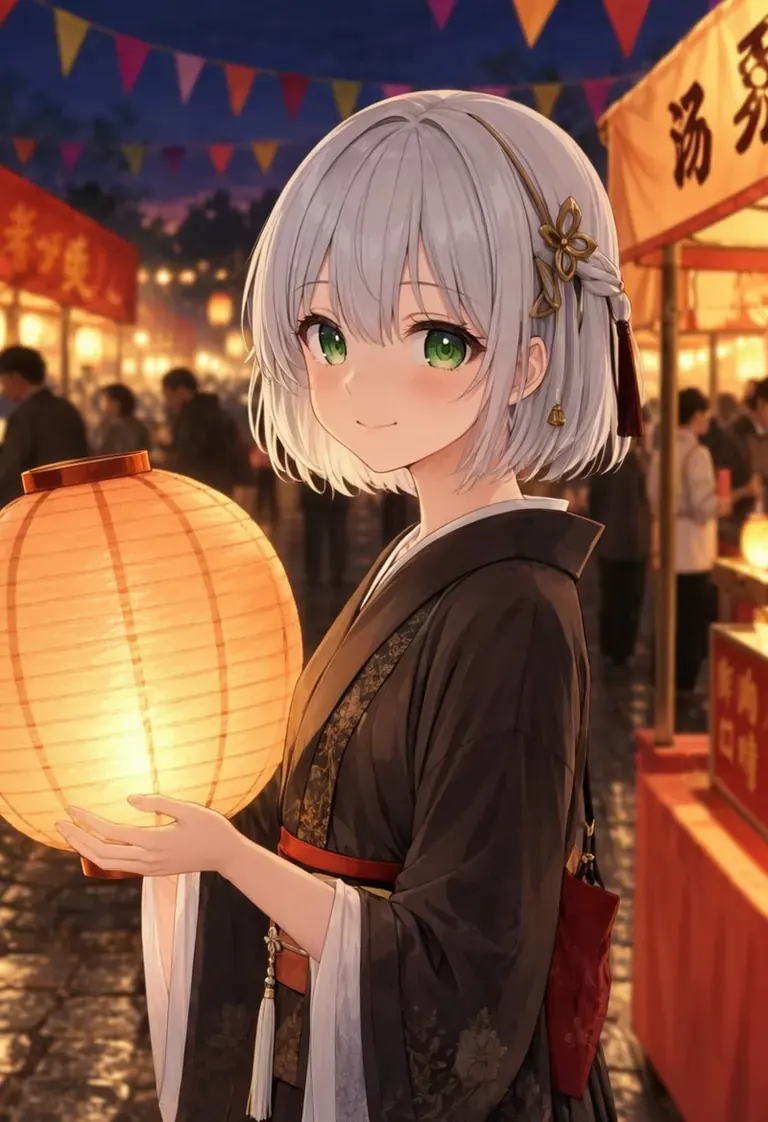
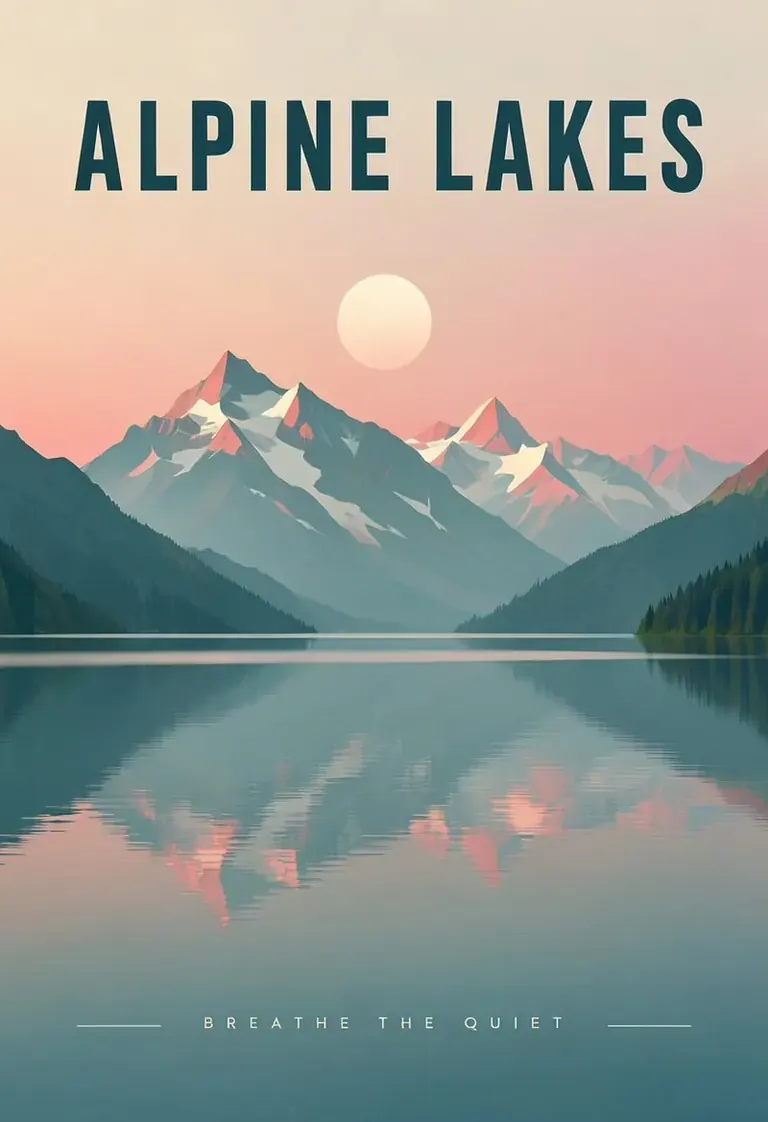
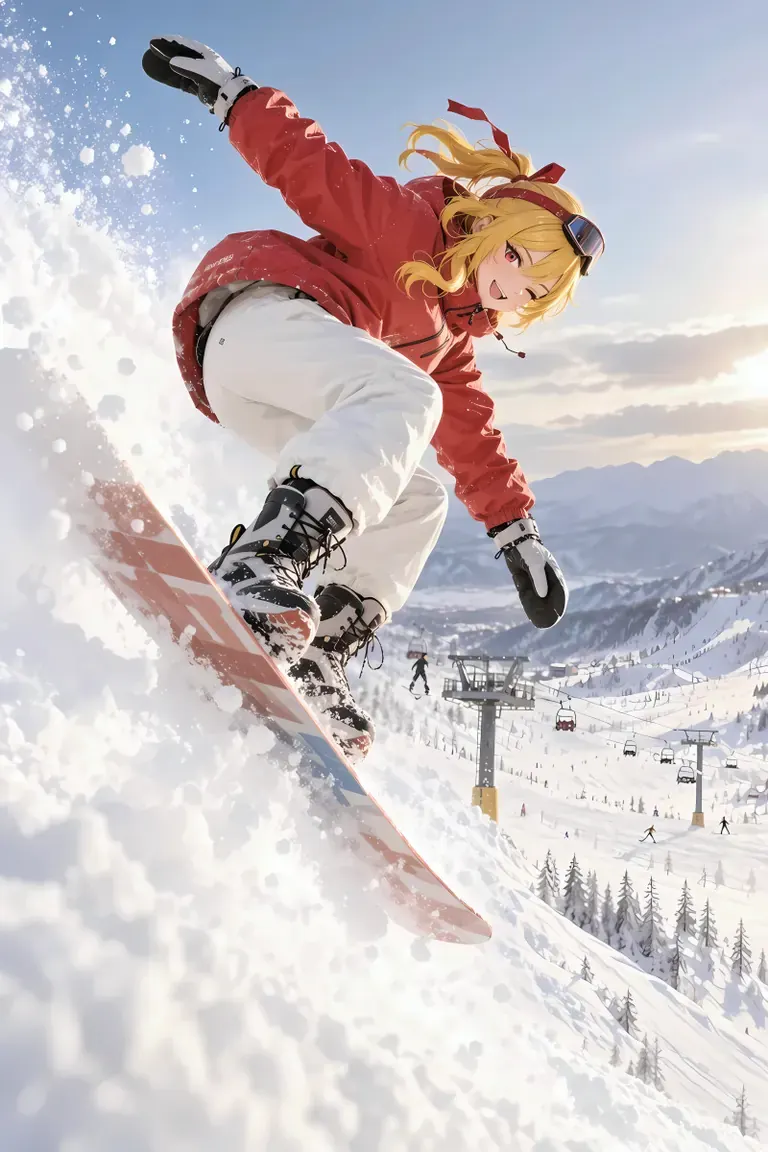
Prompt by CivitaiOfficial · moss
best quality, highres, 1girl, silver hair, green eyes, holding a glowing paper lantern, night festival, paper streamers, food stalls in the background, soft bokeh, detailed background, gentle smile, anime illustration
Prompt by CivitaiOfficial · moss
A minimalist travel poster of a still mountain lake at dawn, flat vector style with soft gradients. A bold title "ALPINE LAKES" across the top and the tagline "breathe the quiet" in small capitals along the bottom. Teal, cream and dusty pink palette, clean typography, centered composition.
Prompt by akizukirei608 · moss
masterpiece,best quality, absurdres, anime style, cinematic lighting, natural shadow, very aesthetic, highest detail, detailed background, intricate scenery, depth of field, insane details, intricate, subsurface scattering, 1girl, kaela kovalskia, red eyes, red hair ribbon, red headband, jacket, snowboard, snowboarding, jumping, floating, outdoors, snow, ski resort, cinematic composition
 Prompts from BunchaPrompts. Workflows and models on ModelTrends.
Options
| Option | Maps to | Default |
|---|---|---|
(prompt) | Prompt text | — |
/run:moss | Workflow shortcode | moss |
Models used
 moss
Model imported by shortcode
moss
Model imported by shortcode /run:moss from ModelTrends
See it on ModelTrends
For Developers (optional)
Example API snippet. You can build your own app with this workflow for personal use. Contact us for high availability servers when you're ready to deploy to the world. See the full rendering API documentation.
curl https://cloud.graydient.ai/api/v3/render/ \
  -X POST \
  -H "Content-Type: application/vnd.api+json" \
  -H "Accept: application/vnd.api+json" \
  -H "Authorization: Bearer $GRAYDIENT_TOKEN" \
  -d '{
    "prompt": "/workflow /run:moss ",
    "callback_url": "https://example.com/webhook/render"
  }'
This is how it works behind the scenes. This is already configured for you. The parameters in the table above plug into these slots, allowing you to change how it works and which models get loaded. You don't have to understand or modify this - it just works, already set up.
This workflow page lists the shortcode, options and ModelTrends downloads. The full node graph is available with the workflow download on ModelTrends. The node graph for this workflow is not drawn on this page yet. Open it on ModelTrends to download the workflow file and the models it loads.
All the workflows: Powerful Workflows