
moss workflow
MOSS-Image: A 5B-parameter open diffusion model with layout control and text rendering in English and Chinese. Powered by Qwen3.5-9B and the FLUX.2 latent space. EXPERIMENTAL / NEW - EXPECT CHANGES Telegram Commands: /run:moss-image [prompt] - Generate an image from description or spatial layout /steps:50 - Sampling steps (default: 50, range: 15-100) /guidance:3.0 - Prompt guidance / CFG (default: 3.0, range: 1.5-6.0) /seed:42 - Reproducible random seed /size:1024x1024 - Output canvas size (multiples of 16, e.g. 1024x1024, 1280x768, 768x1280) /slot1:5.0 - Flow sampling shift (default: 5.0) Tips: - Text Rendering: Put text in quotes within the prompt or use newlines (\n) for line breaks. - Negative Prompt: Default filter cleans up artifacts (worst quality, bad anatomy, blurry, watermark). - Layout Control: Supports 4K token prompts and structured JSON bounding boxes.
Kompatibel / Verfügbar in Graydient-betriebenen Apps





Beispiel-Renderings
Erstellt mit den Modellen, die dieser Workflow ausführt, geteilt von ihren Erstellern auf ModelTrends. Wähle ein Vorschaubild, um das Rendering groß mit dem dazugehörigen Prompt zu sehen.
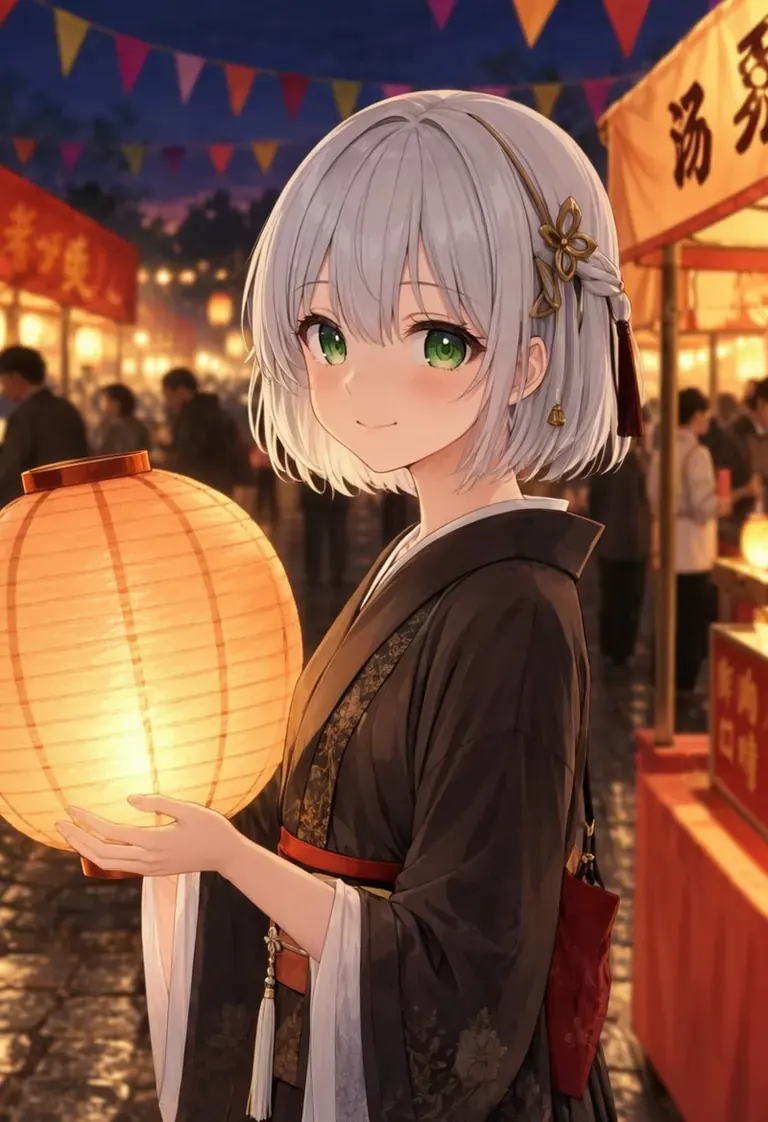
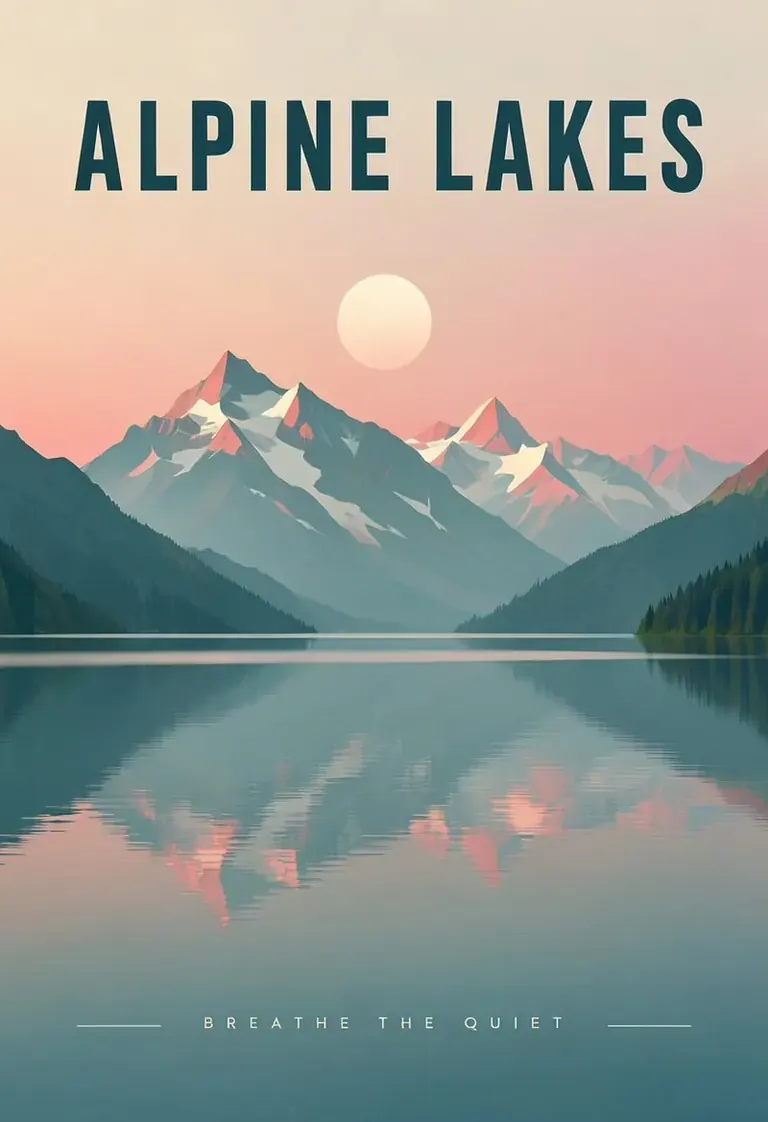
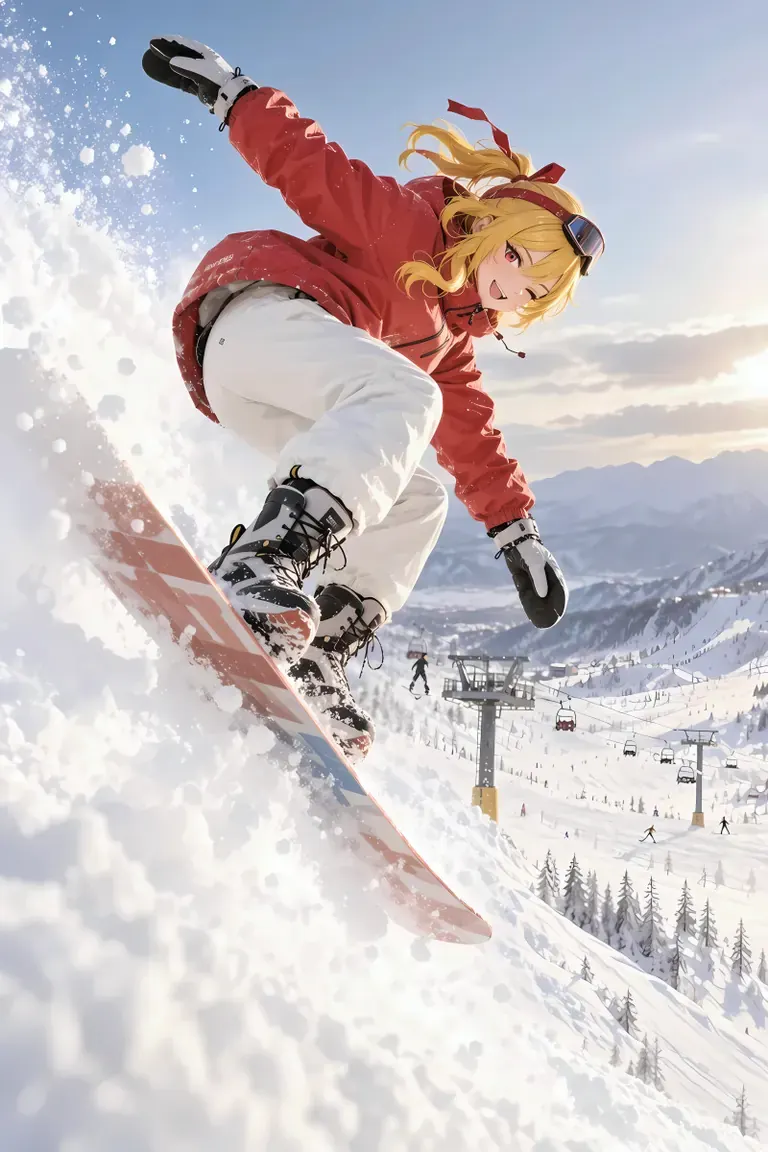
Prompt by CivitaiOfficial · moss
best quality, highres, 1girl, silver hair, green eyes, holding a glowing paper lantern, night festival, paper streamers, food stalls in the background, soft bokeh, detailed background, gentle smile, anime illustration
Prompt by CivitaiOfficial · moss
A minimalist travel poster of a still mountain lake at dawn, flat vector style with soft gradients. A bold title "ALPINE LAKES" across the top and the tagline "breathe the quiet" in small capitals along the bottom. Teal, cream and dusty pink palette, clean typography, centered composition.
Prompt by akizukirei608 · moss
masterpiece,best quality, absurdres, anime style, cinematic lighting, natural shadow, very aesthetic, highest detail, detailed background, intricate scenery, depth of field, insane details, intricate, subsurface scattering, 1girl, kaela kovalskia, red eyes, red hair ribbon, red headband, jacket, snowboard, snowboarding, jumping, floating, outdoors, snow, ski resort, cinematic composition
 Renderings und Prompts von ModelTrends, dem Katalog für AI Bild- und Videomodelle.
Optionen
| Option | Entspricht | Standard |
|---|---|---|
(prompt) | Prompt text | — |
/run:moss | Workflow shortcode | moss |
Verwendete Modelle
 moss
Modell importiert per Shortcode
moss
Modell importiert per Shortcode /run:moss von ModelTrends
Auf ModelTrends ansehen
Für Entwickler (optional)
Beispiel-API-Snippet. Du kannst mit diesem Workflow deine eigene App für den persönlichen Gebrauch bauen. Kontaktiere uns für hochverfügbare Server, wenn du bereit bist, weltweit zu deployen. Siehe die vollständige Rendering-API-Dokumentation.
curl https://cloud.graydient.ai/api/v3/render/ \
  -X POST \
  -H "Content-Type: application/vnd.api+json" \
  -H "Accept: application/vnd.api+json" \
  -H "Authorization: Bearer $GRAYDIENT_TOKEN" \
  -d '{
    "prompt": "/workflow /run:moss ",
    "callback_url": "https://example.com/webhook/render"
  }'
So funktioniert es hinter den Kulissen. Das ist bereits für dich konfiguriert. Die Parameter in der obigen Tabelle werden in diese Slots eingesteckt, sodass du ändern kannst, wie es funktioniert und welche Modelle geladen werden. Du musst das nicht verstehen oder ändern – es funktioniert einfach, schon eingerichtet.
This workflow page lists the shortcode, options and ModelTrends downloads. The full node graph is available with the workflow download on ModelTrends. The node graph for this workflow is not drawn on this page yet. Open it on ModelTrends to download the workflow file and the models it loads.
Alle Workflows: Leistungsstarke Workflows