
moss 工作流程
MOSS-Image: A 5B-parameter open diffusion model with layout control and text rendering in English and Chinese. Powered by Qwen3.5-9B and the FLUX.2 latent space. EXPERIMENTAL / NEW - EXPECT CHANGES Telegram Commands: /run:moss-image [prompt] - Generate an image from description or spatial layout /steps:50 - Sampling steps (default: 50, range: 15-100) /guidance:3.0 - Prompt guidance / CFG (default: 3.0, range: 1.5-6.0) /seed:42 - Reproducible random seed /size:1024x1024 - Output canvas size (multiples of 16, e.g. 1024x1024, 1280x768, 768x1280) /slot1:5.0 - Flow sampling shift (default: 5.0) Tips: - Text Rendering: Put text in quotes within the prompt or use newlines (\n) for line breaks. - Negative Prompt: Default filter cleans up artifacts (worst quality, bad anatomy, blurry, watermark). - Layout Control: Supports 4K token prompts and structured JSON bounding boxes.
支援 Graydient 技術的應用程式





範例渲染
使用此工作流程執行的模型製作,由其創作者在 ModelTrends 分享。選擇縮圖即可查看大圖及生成提示詞。


提示由 CivitaiOfficial 提供 · moss
best quality, highres, 1girl, silver hair, green eyes, holding a glowing paper lantern, night festival, paper streamers, food stalls in the background, soft bokeh, detailed background, gentle smile, anime illustration
提示由 CivitaiOfficial 提供 · moss
A minimalist travel poster of a still mountain lake at dawn, flat vector style with soft gradients. A bold title "ALPINE LAKES" across the top and the tagline "breathe the quiet" in small capitals along the bottom. Teal, cream and dusty pink palette, clean typography, centered composition.
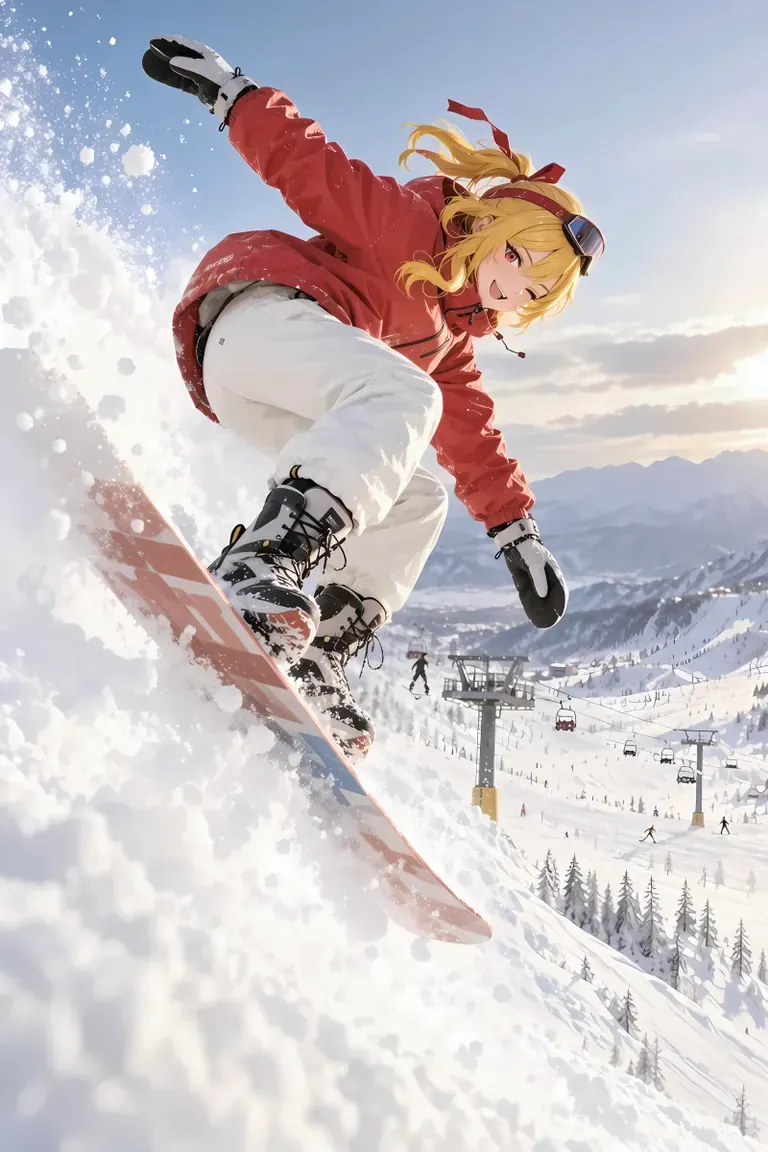
提示由 akizukirei608 提供 · moss
masterpiece,best quality, absurdres, anime style, cinematic lighting, natural shadow, very aesthetic, highest detail, detailed background, intricate scenery, depth of field, insane details, intricate, subsurface scattering, 1girl, kaela kovalskia, red eyes, red hair ribbon, red headband, jacket, snowboard, snowboarding, jumping, floating, outdoors, snow, ski resort, cinematic composition
 渲染與提示詞來自 ModelTrends,AI 影像與影片模型目錄。
選項
| 選項 | 映射至 | 預設 |
|---|---|---|
(prompt) | Prompt text | — |
/run:moss | Workflow shortcode | moss |
使用的模型
 moss 模型由 ModelTrends 透過短碼
/run:moss 匯入 在 ModelTrends 查看 給開發者(可選)
API 範例程式碼。你可以用此工作流程建立個人使用的應用程式。準備部署時請 升級為商業方案。詳見 完整渲染 API 文件。
curl https://cloud.graydient.ai/api/v3/render/ \
  -X POST \
  -H "Content-Type: application/vnd.api+json" \
  -H "Accept: application/vnd.api+json" \
  -H "Authorization: Bearer $GRAYDIENT_TOKEN" \
  -d '{
    "prompt": "/workflow /run:moss ",
    "callback_url": "https://example.com/webhook/render"
}'這是幕後運作方式。這已經為你設定好。上表中的參數會插入這些位置,讓你能改變運作方式及載入的模型。你不必理解或修改它——它已經能正常運作。
此工作流程頁列出短碼、選項及 ModelTrends 下載。完整節點圖可隨工作流程下載於 ModelTrends 取得。 此頁尚未繪製此工作流程的節點圖。請在 ModelTrends 開啟以下載工作流程檔案及其載入的模型。
所有工作流程:強大的工作流程