
How to import a Civitai or Hugging Face model on Graydient
This guide is for Model Import in your Graydient dashboard: you bring a Civitai model page URL or a Hugging Face download link, sign in with Hugging Face when the creator gated the file, and Graydient hosts the weights on its GPUs. There is no install-by-email form and no per-image meter on your plan.
This is not the ModelTrends one-click catalog. If the model is already listed on ModelTrends with a ShortCode, install it there instead: how to install models from ModelTrends on Graydient.
This page is Graydient Model Import in your web dashboard. If the model is not on ModelTrends and you install through PirateDiffusion (Telegram or web editor), follow install a Civitai model that is not on ModelTrends (PirateDiffusion guide) for Hugging Face upload and the /concept /edit form instead.
What you need
- An active Graydient plan (Images, Video Plus or Video Max). Model Import is included.
- A Civitai model page URL (copy from your browser), or a Hugging Face resolve link to a .safetensors file.
- A free Hugging Face account when the file is stored or gated on Hugging Face. Accept the license on Hugging Face before import.
- A browser or phone after you log in to Graydient. You do not need a local GPU.
Where it happens in your dashboard
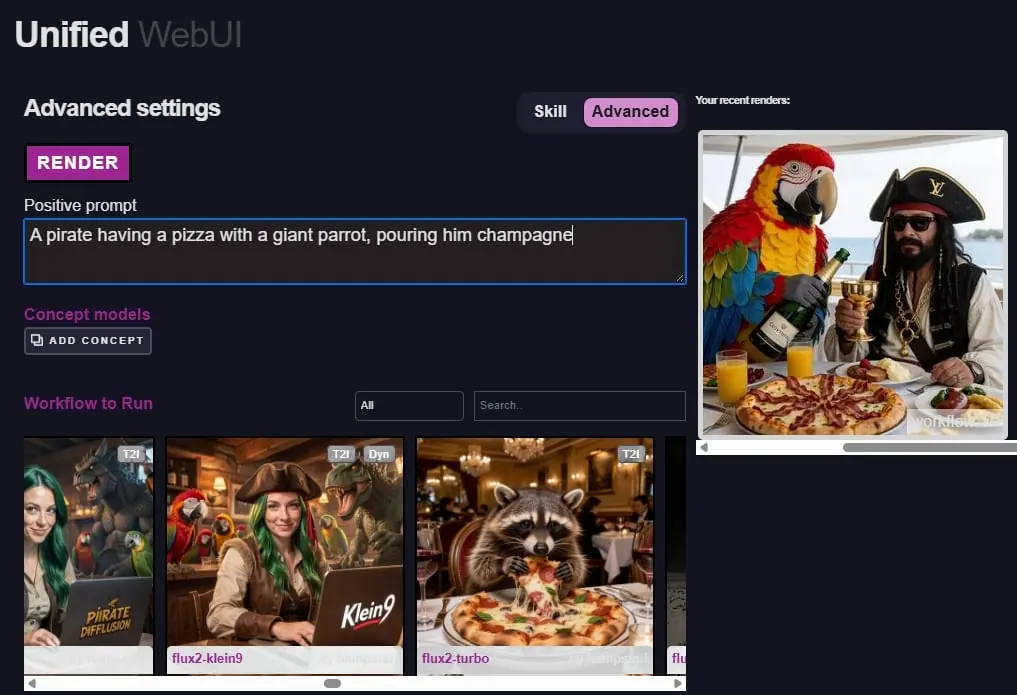
Model Import lives in your Graydient web dashboard (library or drive area, depending on the app skin). The screenshots below show the dashboard home, the workflow picker and the unified library screen you use after import.


Import in seven steps
Graydient does not install models from support tickets or email. The whole flow is self-service after you log in to Graydient.
- On Civitai, open the checkpoint, LoRA or embedding you want. Copy the page URL from your browser (not a direct file download unless you use the Hugging Face upload path below).
- In Graydient, open Model Import from your dashboard library or drive area.
- Paste the Civitai or Hugging Face link. If Civitai lists several versions, pick the same version you use on Civitai before you confirm.
- If a Hugging Face sign-in window opens, log in with your Hugging Face account and accept the model license there. Graydient only fetches files you are allowed to download.
- Submit the form and wait. A small LoRA is often ready in a few minutes; a large checkpoint can take longer. Progress shows in your library.
- Copy trigger words, token and recommended weight from the Civitai page (or from ModelTrends if you cross-check the same model). Match the base family (SDXL with SDXL, Flux with Flux, and so on).
- Render from Prism, SpyGlass, the Unified Editor, PirateDiffusion on Telegram, Vector on Discord, or the personal API on Video Max.
When Hugging Face gates the download
Many Civitai models store the actual .safetensors on Hugging Face. Creators require you to accept a license before download.
- Create a Hugging Face account if you do not have one.
- On the model's Hugging Face page, read the license and click accept if you agree.
- Return to Graydient Model Import and finish the sign-in step. If import fails, confirm you accepted the license and that the link points at the file you expect.
If you already downloaded the .safetensors file
Do not hotlink Civitai file URLs: they may require a Civitai login or disappear. For PirateDiffusion /concept /edit, upload to Hugging Face and copy the download link as shown in install a Civitai model that is not on ModelTrends (PirateDiffusion guide). For Graydient Model Import, paste the resolve URL into the dashboard import form.
- Create a Hugging Face account and a public model or LoRA repository.
- Upload the .safetensors file. Use the resolve URL pattern: huggingface.co/your-user/your-repo/resolve/main/your-file.safetensors
- Paste that resolve URL into Model Import. Fill concept name, prompt token, model family and optional trigger words in the dashboard form.
After import
Hosted models stay in your online library until you delete them.
- Use the model as often as your plan allows; the flat price does not charge per picture.
- Stack LoRAs and try many seeds. See running Civitai models unlimited on Graydient for how flat pricing compares to Civitai Buzz.
- Delete models you no longer need to free storage, or upgrade in the faktureringsportal.
Tips that save time
- Prefer .safetensors under 25GB. Very large or unusual formats may not import.
- Read each creator's license before commercial use.
- For consistent characters without training a LoRA, see Mark Whites PirateDiffusion-guide för konsekventa karaktärer.
Closed or non-open-weight services sold through Civitai cannot be imported as files. Our policy för acceptabel användning applies to everything you render.
Frågor
Can Graydient install a model if I email support?
No. Imports are self-service through Model Import in your dashboard. Support can help with account or billing questions, not with hosting a model on your behalf.
Do I need a Civitai account?
Not to paste a public Civitai page link into Model Import. You do need a Hugging Face account when the download is gated on Hugging Face.
How is this different from generating on Civitai?
On Civitai you pay Buzz per generation. On Graydient you pay one flat monthly price and render as much as your plan allows, including models you imported yourself.
Where do I learn about flat pricing and refunds?
See plans and pricing on the home page and fast pris vs. krediter for how unlimited compares to credit systems. Every plan includes a 7-day money-back guarantee.