
Civitai 모델을 Graydient에 가져와 렌더링하는 방법
Graydient는 월 정액 요금으로 GPU 클라우드에서 오픈 모델을 호스팅합니다. 원하는 Civitai 모델을 가져오세요: 링크를 붙여넣거나 ModelTrends에서 설치하고, 제작자가 파일 접근을 제한했다면 Hugging Face로 로그인한 후 원하는 만큼 렌더링하세요. 이미지당 요금이나 모델 설치 요청 양식은 없습니다.
This is not the ModelTrends one-click catalog. If the model is already listed on ModelTrends with a ShortCode, install it there instead: how to install models from ModelTrends on Graydient.
This page is Graydient Model Import in your web dashboard. If the model is not on ModelTrends and you install through PirateDiffusion (Telegram or web editor), follow install a Civitai model that is not on ModelTrends (PirateDiffusion guide) for Hugging Face upload and the /concept /edit form instead.
필요한 것
- 활성화된 Graydient 플랜(Images, Video Plus 또는 Video Max). 모든 플랜에는 Model Import와 플랜 기능 내 무제한 렌더링이 포함됩니다.
- Civitai 모델 페이지 URL 또는 ModelTrends에 등록된 동일 모델 URL.
- Hugging Face에서 가중치를 다운로드하거나 제작자가 접근을 제한한 경우 무료 Hugging Face 계정. Hugging Face에서 라이선스를 수락하면 Graydient가 파일을 라이브러리에 가져옵니다.
- 브라우저 또는 휴대폰. 로컬 GPU는 필요 없습니다.
Where it happens in your dashboard
Model Import lives in your Graydient web dashboard (library or drive area, depending on the app skin). The screenshots below show the dashboard home, the workflow picker and the unified library screen you use after import.
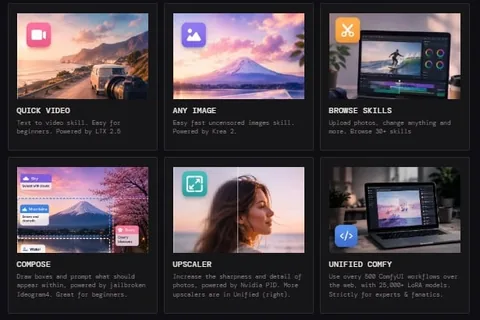
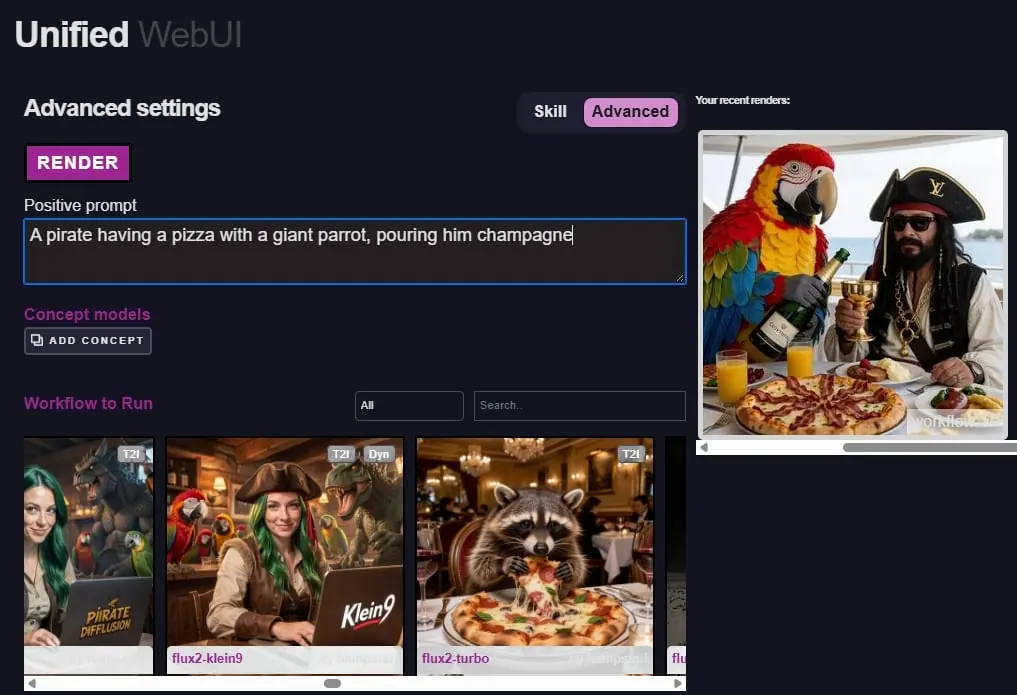
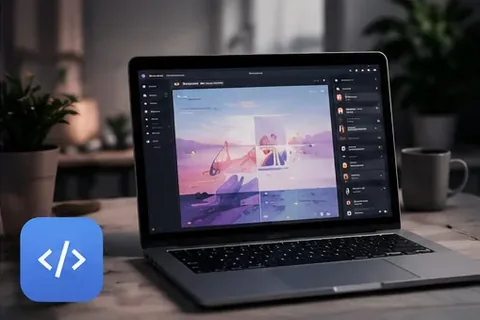
7단계로 모델 가져오기
전체 과정은 Graydient 로그인 후 대시보드에서 진행됩니다. Graydient는 지원 티켓이나 이메일 요청으로 모델을 설치하지 않습니다.
- Civitai(또는 ModelTrends에 등록된 경우)에서 모델을 선택하세요. 모델 페이지를 열고 브라우저 주소를 복사합니다.
- Graydient에서 Model Import를 열고(웹 앱의 라이브러리 또는 드라이브 영역에 표시될 수 있음) Civitai 또는 Hugging Face 링크를 붙여넣습니다.
- Civitai가 여러 버전을 보여주면 가져오기 전에 사용할 버전을 선택하세요.
- Model Import가 Hugging Face를 열면 Hugging Face 계정으로 로그인하고 모델 라이선스 조건에 동의하세요. 이 단계는 사용자와 Hugging Face 간 절차이며, Graydient는 허용된 파일만 다운로드합니다.
- 호스팅이 완료될 때까지 기다리세요. 작은 LoRA는 몇 분 내에 준비되며, 큰 체크포인트는 더 오래 걸릴 수 있습니다. 진행 상황은 라이브러리에 표시됩니다.
- Civitai 또는 ModelTrends 페이지에서 트리거 단어와 권장 가중치를 확인하세요. 기본 모델 계열(SDXL은 SDXL, Flux는 Flux 등)을 맞추세요.
- Prism, SpyGlass, Unified Editor, Telegram의 PirateDiffusion, Discord의 Vector 또는 Video Max의 개인 API에서 렌더링하세요. 모델은 원하는 만큼 사용 가능하며, 정액제 플랜은 이미지별 요금이 없습니다.
Hugging Face가 관련된 경우
많은 Civitai 체크포인트와 LoRA는 실제 .safetensors 파일을 Hugging Face에 저장합니다. 제작자는 다운로드 전에 라이선스 동의를 요구할 수 있습니다.
- Hugging Face 계정이 없으면 만드세요.
- 모델의 Hugging Face 페이지에서 라이선스를 읽고 동의하면 수락을 클릭하세요.
- Graydient Model Import로 돌아와 로그인 단계를 완료하세요. 가져오기가 실패하면 Hugging Face에서 라이선스를 수락했는지, 링크가 올바른 파일을 가리키는지 확인하세요.
If you already downloaded the .safetensors file
Do not hotlink Civitai file URLs: they may require a Civitai login or disappear. For PirateDiffusion /concept /edit, upload to Hugging Face and copy the download link as shown in install a Civitai model that is not on ModelTrends (PirateDiffusion guide). For Graydient Model Import, paste the resolve URL into the dashboard import form.
- Create a Hugging Face account and a public model or LoRA repository.
- Upload the .safetensors file. Use the resolve URL pattern: huggingface.co/your-user/your-repo/resolve/main/your-file.safetensors
- Paste that resolve URL into Model Import. Fill concept name, prompt token, model family and optional trigger words in the dashboard form.
After import
Hosted models stay in your online library until you delete them.
- Use the model as often as your plan allows; the flat price does not charge per picture.
- Stack LoRAs and try many seeds. See Graydient에서 Civitai 모델 무제한 실행 for how flat pricing compares to Civitai Buzz.
- Delete models you no longer need to free storage, or upgrade in the 청구 포털.
시간을 절약하는 팁
- 25GB 이하 .safetensors를 선호하세요. 매우 큰 파일이나 특이한 형식은 가져오지 못할 수 있습니다.
- 사용하지 않는 모델은 삭제해 저장 공간을 확보하거나 청구 포털에서 플랜을 업그레이드하세요.
- 상업적 사용 전 각 제작자의 라이선스를 읽으세요.
Civitai를 통해 판매되는 폐쇄형 또는 비공개 가중치 서비스는 파일로 가져올 수 없습니다. 모든 렌더링에는 당사의 허용 사용 정책가 적용됩니다.
질문
지원팀에 이메일을 보내면 Graydient가 모델을 설치해주나요?
아니요. 가져오기는 Model Import 또는 ModelTrends를 통한 셀프 서비스입니다. 지원팀은 계정이나 결제 관련 문의는 도와드리지만, 대신 모델을 호스팅하지는 않습니다.
Civitai 계정이 필요한가요?
Model Import에 공개 모델 링크를 붙여넣는 데는 필요 없습니다. 다운로드가 Hugging Face에서 제한된 경우 Hugging Face 계정이 필요합니다.
Civitai에서 생성하는 것과 어떻게 다른가요?
Civitai에서는 생성할 때마다 Buzz를 지불합니다. Graydient는 월 정액 요금을 내고 플랜 허용 범위 내에서 원하는 만큼 렌더링할 수 있습니다. 가져온 모델도 포함됩니다.
정액 요금제와 환불에 대해 어디서 알 수 있나요?
홈페이지의 플랜 및 가격와 무제한과 크레딧 시스템 비교는 정액제 vs. 크레딧을 참고하세요. 모든 플랜에는 7일 환불 보장도 포함됩니다.