
moss workflow
MOSS-Image: A 5B-parameter open diffusion model with layout control and text rendering in English and Chinese. Powered by Qwen3.5-9B and the FLUX.2 latent space. EXPERIMENTAL / NEW - EXPECT CHANGES Telegram Commands: /run:moss-image [prompt] - Generate an image from description or spatial layout /steps:50 - Sampling steps (default: 50, range: 15-100) /guidance:3.0 - Prompt guidance / CFG (default: 3.0, range: 1.5-6.0) /seed:42 - Reproducible random seed /size:1024x1024 - Output canvas size (multiples of 16, e.g. 1024x1024, 1280x768, 768x1280) /slot1:5.0 - Flow sampling shift (default: 5.0) Tips: - Text Rendering: Put text in quotes within the prompt or use newlines (\n) for line breaks. - Negative Prompt: Default filter cleans up artifacts (worst quality, bad anatomy, blurry, watermark). - Layout Control: Supports 4K token prompts and structured JSON bounding boxes.
Compatibile / Disponibile nelle app supportate da Graydient





Render di esempio
Realizzati con i modelli che questo workflow esegue, condivisi dai loro creatori su ModelTrends. Scegli una miniatura per vedere il render ingrandito con il prompt che lo ha generato.
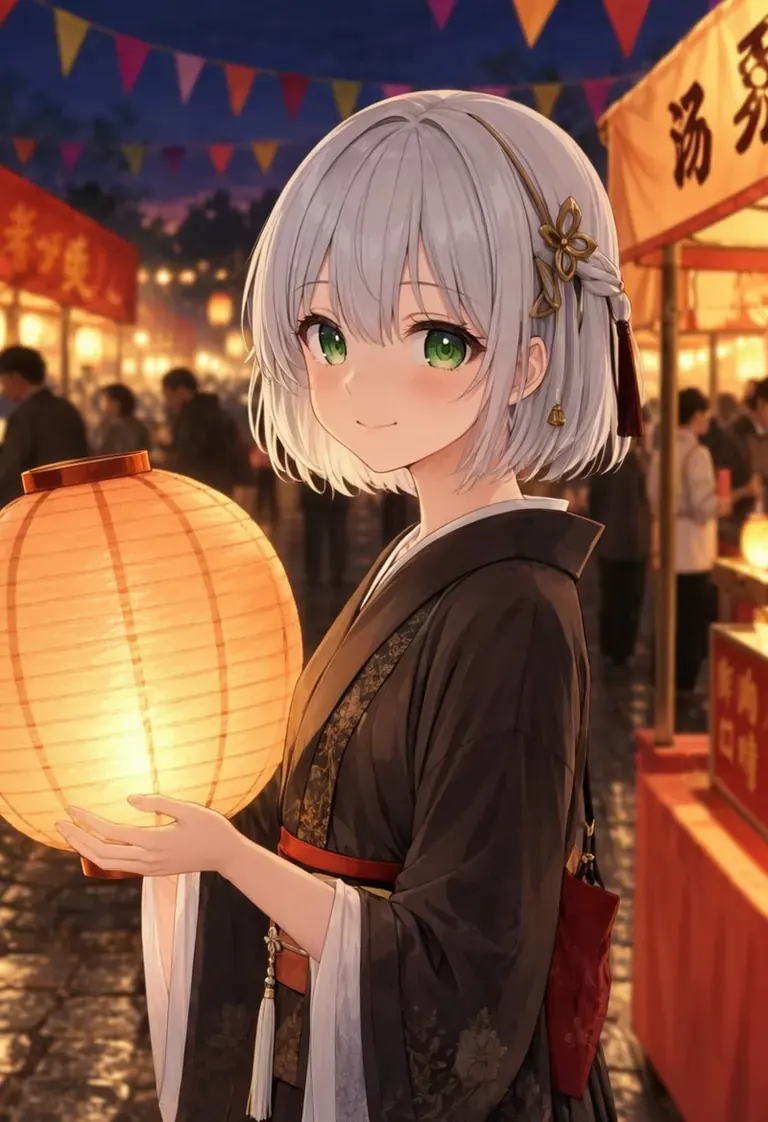
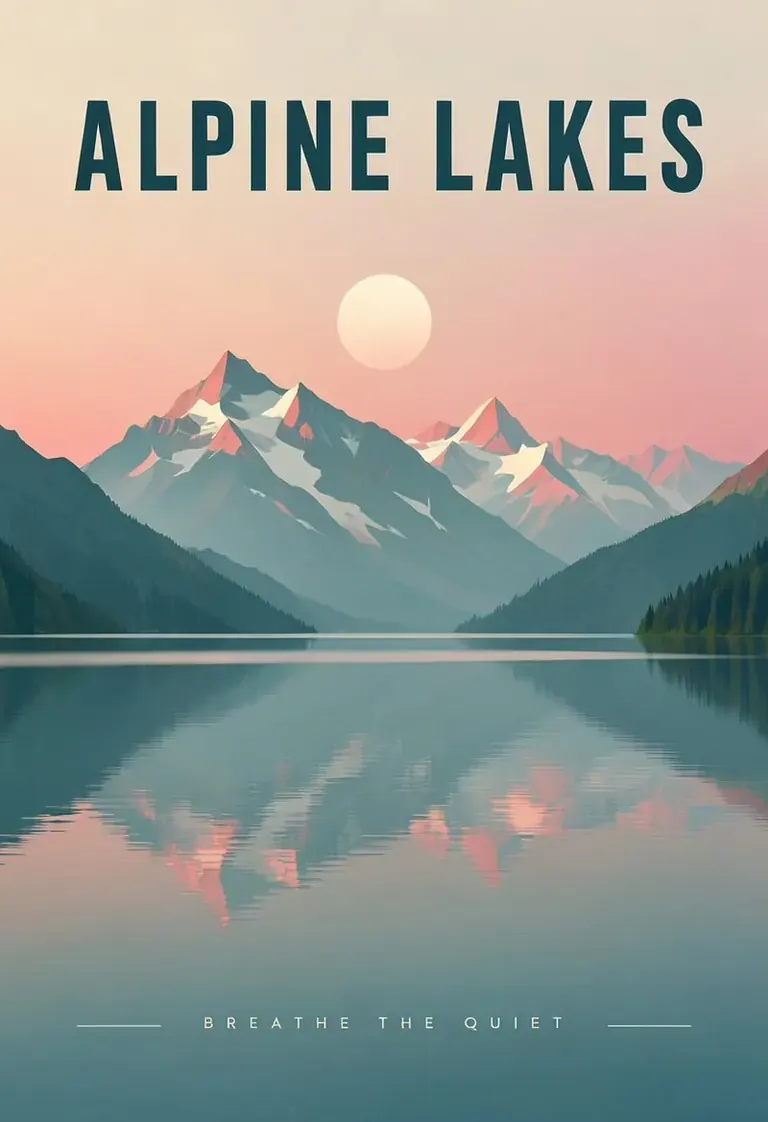
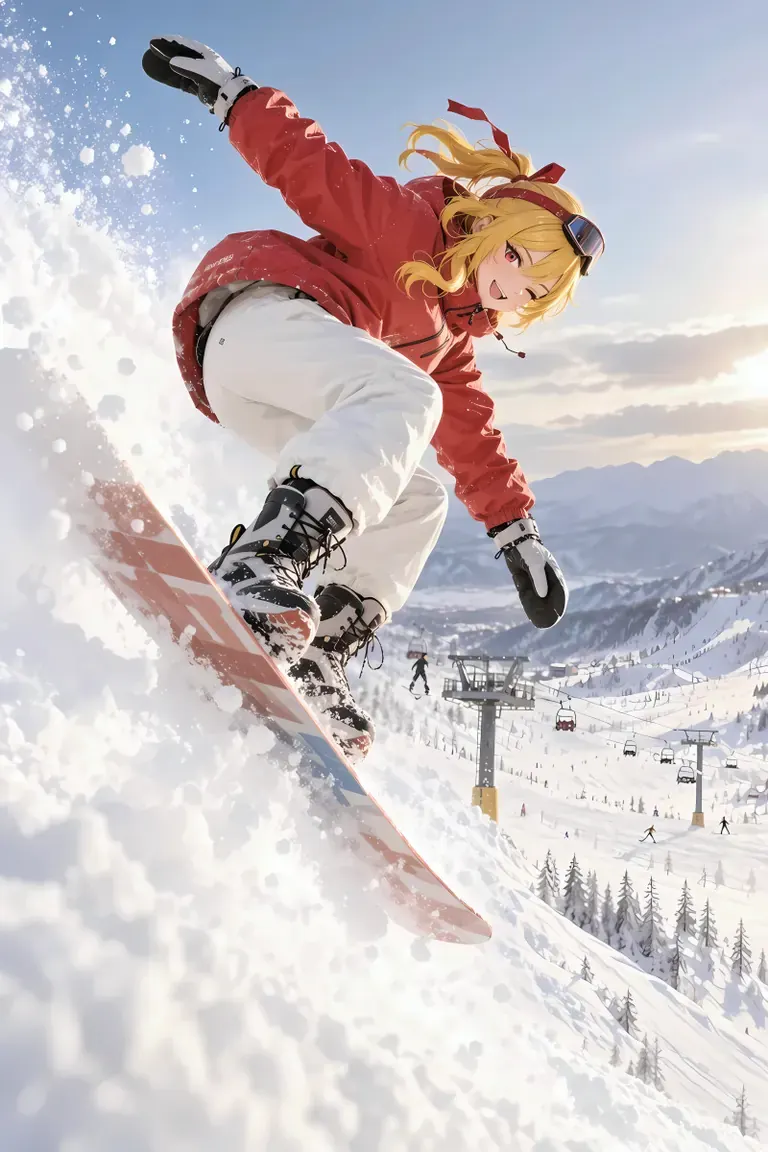
Prompt by CivitaiOfficial · moss
best quality, highres, 1girl, silver hair, green eyes, holding a glowing paper lantern, night festival, paper streamers, food stalls in the background, soft bokeh, detailed background, gentle smile, anime illustration
Prompt by CivitaiOfficial · moss
A minimalist travel poster of a still mountain lake at dawn, flat vector style with soft gradients. A bold title "ALPINE LAKES" across the top and the tagline "breathe the quiet" in small capitals along the bottom. Teal, cream and dusty pink palette, clean typography, centered composition.
Prompt by akizukirei608 · moss
masterpiece,best quality, absurdres, anime style, cinematic lighting, natural shadow, very aesthetic, highest detail, detailed background, intricate scenery, depth of field, insane details, intricate, subsurface scattering, 1girl, kaela kovalskia, red eyes, red hair ribbon, red headband, jacket, snowboard, snowboarding, jumping, floating, outdoors, snow, ski resort, cinematic composition
 Render e prompt da ModelTrends, il catalogo di modelli AI per immagini e video.
Opzioni
| Opzione | Mappa a | Predefinito |
|---|---|---|
(prompt) | Prompt text | — |
/run:moss | Workflow shortcode | moss |
Modelli usati
 moss
Modello importato tramite shortcode
moss
Modello importato tramite shortcode /run:moss da ModelTrends
Vedi su ModelTrends
Per sviluppatori (opzionale)
Esempio di snippet API. Puoi creare la tua app con questo workflow per uso personale. Contattaci per server ad alta disponibilità quando sei pronto a distribuire al mondo. Vedi la documentazione completa dell'API di rendering.
curl https://cloud.graydient.ai/api/v3/render/ \
  -X POST \
  -H "Content-Type: application/vnd.api+json" \
  -H "Accept: application/vnd.api+json" \
  -H "Authorization: Bearer $GRAYDIENT_TOKEN" \
  -d '{
    "prompt": "/workflow /run:moss ",
    "callback_url": "https://example.com/webhook/render"
  }'
Ecco come funziona dietro le quinte. È già configurato per te. I parametri nella tabella sopra si collegano a questi slot, permettendoti di cambiare come funziona e quali modelli vengono caricati. Non devi capire o modificare questo - funziona già, tutto pronto.
This workflow page lists the shortcode, options and ModelTrends downloads. The full node graph is available with the workflow download on ModelTrends. The node graph for this workflow is not drawn on this page yet. Open it on ModelTrends to download the workflow file and the models it loads.
Tutti i workflow: Flussi di lavoro potenti