
Animate LTX-2.5 图像转视频工作流
LTX-2.5 将图片转换成带有同步生成声音的视频。模型能理解自然语言,因此无需特殊标签或技巧来生成音频:只需描述发生的事情和听到的声音。支持更长的一次性视频;首页示例是一个由单个提示生成的1200帧剪辑。提示增强器(/slot1:1)会用更多细节重写你的提示并提升整体质量。
兼容 / 可用于 Graydient 支持的应用





示例渲染
使用此工作流程运行的模型制作,由它们的创作者在 ModelTrends 分享。选择缩略图查看大图及生成它的提示词。





Petishamiaou 使用 (LTX-2 Lora) - Rally (Race) Driver POV Video 渲染
r4llyp0v, POV view of a kitten driving a formula1 car on a track at fast speed.
kabachuha 使用 Disguise Drop - LTX-2 / Wan2.1 14B FLF2V 渲染
Disguise drop. A knight in shining, bulky armor stands in a castle courtyard. He struggles to move, then has an idea. He unzips the chest plate, revealing not a man, but a clever miniature raccoon inside. The miniature raccoon pops out, drops the suit, and scurries off with a piece of stolen treasure.
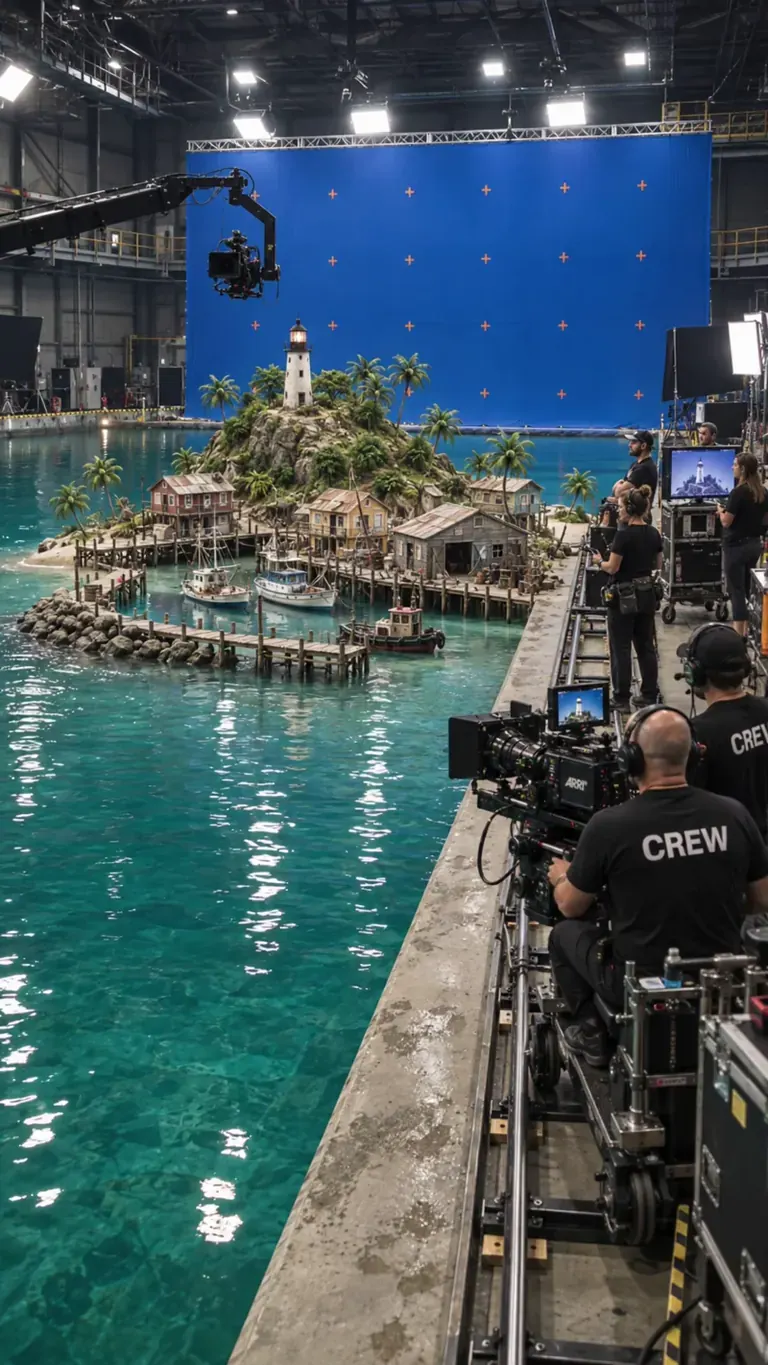
Solricks 使用 BTS Movie Set 渲染
btssetstyle, locked-off stationary camera, miniature water-tank film shoot. The off-screen director calls, "And... action!" as a wave-maker sends a realistic surge across the studio tank. The wave crashes into the miniature harbor, tossing scale boats and flooding the wooden piers with white foam. As the water dissipates into calm foam, the director calls, "Cut!" The camera crew in the foreground relaxes, smiles, and applauds the take. Realistic water physics, blue-screen soundstage, 4k photorealistic
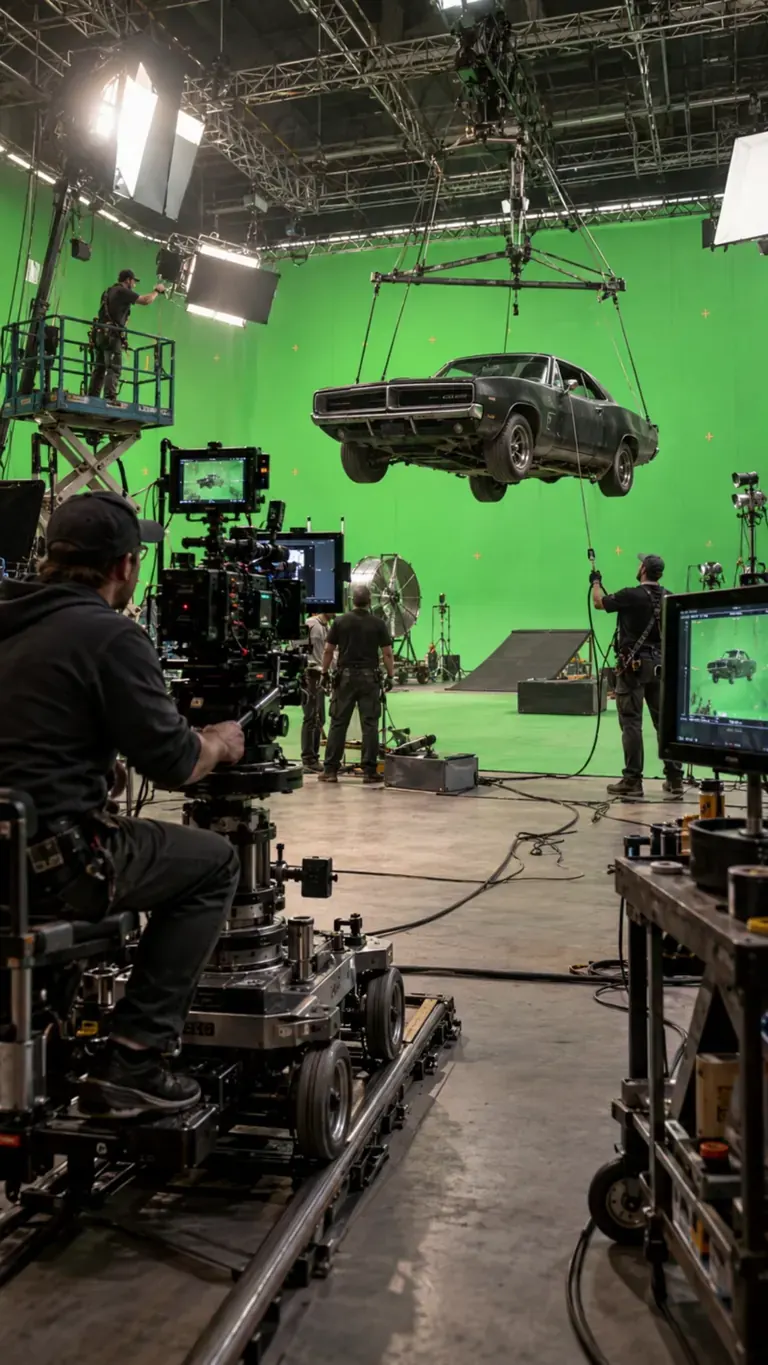
Solricks 使用 BTS Movie Set 渲染
btssetstyle, Create a realistic behind-the-scenes vehicle stunt shoot. The suspended car moves very slightly on its rig with believable weight and inertia while crew members make natural adjustments around the set. The camera operator slowly moves the dolly along the track, technicians monitor the suspended vehicle, and the overhead rig remains stable. Keep all green-screen walls, stunt equipment, camera rigs and visible crew present throughout. Motion should be restrained, physically grounded and documentary-like, as if filmed during a real high-budget action production.
kronos1959777 使用 Immediate Scene Transition [LTX 2.3] 渲染
closeup of Ted_Bear in his living room on the phone saying, \"oh god, Jeffrey, you're in prison!?\" immediate scene transition to the same person (Ted_Bear) inside a prison visitor room talking to an unseen figure. After the scene transition, Ted_Bear is saying, \"Oh, Jeffrey, thank god you're doing okay. Are they treating you well here? I can't imagine my good friend Jeffrey ending up in a place like this. You've always been so good to people, especially ***.
提示由 playtime_ai_ 提供 · Gollum - LTX-2
Every time I hear trump speak, this is how I see it in my head... It really isn't fair to Gollum though. At least Gollum has redeeming qualities. Anyway, Donald Trump really said this dumb shite. Enjoy!
playtime_ai_ 使用 Gollum - LTX-2 渲染
Every time I hear trump speak, this is how I see it in my head... It really isn't fair to Gollum though. At least Gollum has redeeming qualities. Anyway, Donald Trump really said this dumb shite. Enjoy!
 渲染和提示词来自 ModelTrends,AI 图像和视频模型目录。
选项
| 选项 | 映射到 | 默认 |
|---|---|---|
(image) | Load Image → image | — |
(prompt) | CLIP Text Encode → text | — |
/guidance | KSampler → cfg | 3 |
/length | LTXV Img To Video → length (frames) | 1200 |
/seed | KSampler → seed | random |
/size | LTXV Img To Video → width, height | 640 × 640 |
/slot1 | Prompt Enhancer → enhance (1 = on) | 0 |
/steps | KSampler → steps | 30 |
使用的模型
 Animate LTX-2.5 模型由 ModelTrends 通过短代码
 /run:animate-ltx25 导入 在 ModelTrends 查看 面向开发者(可选)
API 示例代码。你可以用此工作流构建个人应用。准备部署时请 升级到商务计划。详见 完整渲染 API 文档。
curl https://cloud.graydient.ai/api/v3/render/ \
  -X POST \
  -H "Content-Type: application/vnd.api+json" \
  -H "Accept: application/vnd.api+json" \
  -H "Authorization: Bearer $GRAYDIENT_TOKEN" \
  -d '{
    "prompt": "/workflow /run:animate-ltx25 /size:640x640 /length:1200 a parrot and a pirate are singing. the lyrics are about booze, pizza, generative ai, pirate, diffusion, \"making longer videos in one shot prompts is now possible\"",
    "callback_url": "https://example.com/webhook/render"
}'这就是幕后工作原理。已经为你配置好了。上表中的参数插入这些槽位,允许你更改工作方式和加载的模型。你无需理解或修改它——它已经设置好,能直接使用。
只读视图。高亮的标签是调用时可设置的选项。 自然提示;描述声音和动作。
ModelTrends 上的节点文档
此图中节点的通俗说明:每个节点的功能、输入输出及如何修复其错误。
所有工作流:强大工作流程